Compare commits
66 Commits
| Author | SHA1 | Date | |
|---|---|---|---|

|
cbdb45473a | ||
|
|
42b5ac6aff | ||
|
|
ae17a604d0 | ||
|
|
933cbe4594 | ||
|
|
1e9ac63428 | ||
|
|
c99668b355 | ||
|
|
fa5df5d28e | ||
|
|
4b47f4929e | ||
|
|
e44b918af2 | ||
|
|
a4b268cdae | ||
|
|
d9ae4322ea | ||
|
|
a316521ea6 | ||
|
|
a214536a51 | ||
|
|
acca5be585 | ||
|
|
b622b3fc6a | ||
|
|
63953b85e9 | ||
|
|
6c0e0755b9 | ||
|
|
8e7a3d309f | ||
|
|
09a9ab7a34 | ||
|
|
c11ce4e06f | ||
|
|
8650af05f7 | ||
|
|
25f88b7ae9 | ||
|
|
e75f48d148 | ||
|
|
d8e27600be | ||
|
|
9e31429732 | ||
|
|
1e0020b56b | ||
|
|
79e6b1f5dd | ||
|
|
5a292426c9 | ||
|
|
d2df1b0fc9 | ||
|
|
fec9e54049 | ||
|
|
ea089de3b3 | ||
|
|
172b37239f | ||
|
|
388e5b56de | ||
|
|
532d5c1744 | ||
|
|
54af13e4b8 | ||
|
|
d65a118d8a | ||
|
|
af3d161f66 | ||
|
|
d3482a4aef | ||
|
|
3600e5a8fb | ||
|
|
3afee66aaa | ||
|
|
110c5c392c | ||
|
|
db4519a644 | ||
|
|
450fb877f6 | ||
|
|
b44f8383e4 | ||
|
|
5a84cc835a | ||
|
|
529cc04fd1 | ||
|
|
b7fec4d355 | ||
|
|
77559332bc | ||
|
|
321adb5df2 | ||
|
|
09acb134b7 | ||
|
|
3d5b66c2b7 | ||
|
|
41650f20f4 | ||
|
|
bd45a804a7 | ||
|
|
3d6b555deb | ||
|
|
8681cad77c | ||
|
|
28ea67f252 | ||
|
|
1255ecf86e | ||
|
|
2c9555015b | ||
|
|
1655d85a53 | ||

|
1df664d109 | ||
|
|
a2e92b9d74 | ||
|
|
1cdd6d21c5 | ||
|
|
6fd64f9408 | ||
|
|
69f5be3e31 | ||
|
|
a9ebe9606e | ||
|
|
d1f9f456bb |
36
.travis.yml
36
.travis.yml
@@ -1,13 +1,39 @@
|
||||
language: python
|
||||
|
||||
python:
|
||||
- "3.6"
|
||||
- "3.7"
|
||||
- "3.8"
|
||||
jobs:
|
||||
include:
|
||||
- name: "Paperless on Python 3.6"
|
||||
python: "3.6"
|
||||
|
||||
- name: "Paperless on Python 3.7"
|
||||
python: "3.7"
|
||||
|
||||
- name: "Paperless on Python 3.8"
|
||||
python: "3.8"
|
||||
|
||||
- name: "Documentation"
|
||||
script:
|
||||
- cd docs/
|
||||
- make html
|
||||
after_success: true
|
||||
|
||||
- name: "Front end"
|
||||
language: node_js
|
||||
node_js:
|
||||
- 15
|
||||
before_install: true
|
||||
install:
|
||||
- cd src-ui/
|
||||
- npm install -g @angular/cli
|
||||
- npm install
|
||||
script:
|
||||
- ng build --prod
|
||||
after_success: true
|
||||
|
||||
|
||||
before_install:
|
||||
- sudo apt-get update -qq
|
||||
- sudo apt-get install -qq libpoppler-cpp-dev unpaper tesseract-ocr
|
||||
- sudo apt-get install -qq libpoppler-cpp-dev unpaper tesseract-ocr imagemagick ghostscript
|
||||
|
||||
install:
|
||||
- pip install --upgrade pipenv
|
||||
|
||||
48
Pipfile
48
Pipfile
@@ -9,43 +9,43 @@ verify_ssl = true
|
||||
name = "piwheels"
|
||||
|
||||
[packages]
|
||||
django = "~=3.1"
|
||||
pillow = "*"
|
||||
dateparser = "~=0.7"
|
||||
dateparser = "~=0.7.6"
|
||||
django = "~=3.1.3"
|
||||
django-cors-headers = "*"
|
||||
djangorestframework = "~=3.12"
|
||||
python-gnupg = "*"
|
||||
python-dotenv = "*"
|
||||
filemagic = "*"
|
||||
pyocr = "~=0.7"
|
||||
django-extensions = "*"
|
||||
django-filter = "~=2.4.0"
|
||||
django-q = "~=1.3.4"
|
||||
djangorestframework = "~=3.12.2"
|
||||
fuzzywuzzy = "*"
|
||||
gunicorn = "*"
|
||||
imap-tools = "*"
|
||||
langdetect = "*"
|
||||
pdftotext = "*"
|
||||
django-filter = "~=2.4"
|
||||
python-dateutil = "*"
|
||||
psycopg2-binary = "*"
|
||||
scikit-learn="~=0.23"
|
||||
whoosh="~=2.7"
|
||||
gunicorn = "*"
|
||||
whitenoise = "~=5.2"
|
||||
fuzzywuzzy = "*"
|
||||
python-Levenshtein = "*"
|
||||
django-extensions = "*"
|
||||
watchdog = "*"
|
||||
pathvalidate = "*"
|
||||
django-q = "*"
|
||||
pillow = "*"
|
||||
pyocr = "~=0.7.2"
|
||||
python-gnupg = "*"
|
||||
python-dotenv = "*"
|
||||
python-dateutil = "*"
|
||||
python-Levenshtein = "*"
|
||||
python-magic = "*"
|
||||
psycopg2-binary = "*"
|
||||
redis = "*"
|
||||
imap-tools = "*"
|
||||
scikit-learn="~=0.23.2"
|
||||
whitenoise = "~=5.2.0"
|
||||
watchdog = "*"
|
||||
whoosh="~=2.7.4"
|
||||
|
||||
[dev-packages]
|
||||
coveralls = "*"
|
||||
factory-boy = "*"
|
||||
sphinx = "~=3.3"
|
||||
tox = "*"
|
||||
pycodestyle = "*"
|
||||
pytest = "*"
|
||||
pytest-cov = "*"
|
||||
pytest-django = "*"
|
||||
pytest-sugar = "*"
|
||||
pytest-env = "*"
|
||||
pytest-sugar = "*"
|
||||
pytest-xdist = "*"
|
||||
sphinx = "~=3.3"
|
||||
sphinx_rtd_theme = "*"
|
||||
tox = "*"
|
||||
|
||||
36
Pipfile.lock
generated
36
Pipfile.lock
generated
@@ -1,7 +1,7 @@
|
||||
{
|
||||
"_meta": {
|
||||
"hash": {
|
||||
"sha256": "abc7e5f5a8d075d4b013ceafd06ca07f57e597f053d670f73449ba210511b114"
|
||||
"sha256": "ae2643b9cf0cf5741ae149fb6bc0c480de41329ce48e773eb4b5d760bc5e2244"
|
||||
},
|
||||
"pipfile-spec": 6,
|
||||
"requires": {},
|
||||
@@ -105,14 +105,6 @@
|
||||
"index": "pypi",
|
||||
"version": "==3.12.2"
|
||||
},
|
||||
"filemagic": {
|
||||
"hashes": [
|
||||
"sha256:b2fd77411975510e28673220c4b8868ed81b5eb5906339b6f4c233b32122d7d3",
|
||||
"sha256:e684359ef40820fe406f0ebc5bf8a78f89717bdb7fed688af68082d991d6dbf3"
|
||||
],
|
||||
"index": "pypi",
|
||||
"version": "==1.6"
|
||||
},
|
||||
"fuzzywuzzy": {
|
||||
"hashes": [
|
||||
"sha256:45016e92264780e58972dca1b3d939ac864b78437422beecebb3095f8efd00e8",
|
||||
@@ -131,11 +123,11 @@
|
||||
},
|
||||
"imap-tools": {
|
||||
"hashes": [
|
||||
"sha256:070929b8ec429c0aad94588a37a2962eed656a119ab61dcf91489f20fe983f5d",
|
||||
"sha256:6232cd43748741496446871e889eb137351fc7a7e7f4c7888cd8c0fa28e20cda"
|
||||
"sha256:96e9a4ff6483462635737730a1df28e739faa71967b12a84f4363fb386542246",
|
||||
"sha256:a3ee1827dc4ff185b259b33d0238b091a87d489f63ee59959fcc81716456c602"
|
||||
],
|
||||
"index": "pypi",
|
||||
"version": "==0.31.0"
|
||||
"version": "==0.32.0"
|
||||
},
|
||||
"joblib": {
|
||||
"hashes": [
|
||||
@@ -337,6 +329,14 @@
|
||||
"index": "pypi",
|
||||
"version": "==0.12.0"
|
||||
},
|
||||
"python-magic": {
|
||||
"hashes": [
|
||||
"sha256:356efa93c8899047d1eb7d3eb91e871ba2f5b1376edbaf4cc305e3c872207355",
|
||||
"sha256:b757db2a5289ea3f1ced9e60f072965243ea43a2221430048fd8cacab17be0ce"
|
||||
],
|
||||
"index": "pypi",
|
||||
"version": "==0.4.18"
|
||||
},
|
||||
"pytz": {
|
||||
"hashes": [
|
||||
"sha256:3e6b7dd2d1e0a59084bcee14a17af60c5c562cdc16d828e8eba2e683d3a7e268",
|
||||
@@ -617,11 +617,11 @@
|
||||
},
|
||||
"coveralls": {
|
||||
"hashes": [
|
||||
"sha256:4430b862baabb3cf090d36d84d331966615e4288d8a8c5957e0fd456d0dd8bd6",
|
||||
"sha256:b3b60c17b03a0dee61952a91aed6f131e0b2ac8bd5da909389c53137811409e1"
|
||||
"sha256:2301a19500b06649d2ec4f2858f9c69638d7699a4c63027c5d53daba666147cc",
|
||||
"sha256:b990ba1f7bc4288e63340be0433698c1efe8217f78c689d254c2540af3d38617"
|
||||
],
|
||||
"index": "pypi",
|
||||
"version": "==2.1.2"
|
||||
"version": "==2.2.0"
|
||||
},
|
||||
"distlib": {
|
||||
"hashes": [
|
||||
@@ -663,11 +663,11 @@
|
||||
},
|
||||
"faker": {
|
||||
"hashes": [
|
||||
"sha256:4d038ba51ae5e0a956d79cadd684d856e5750bfd608b61dad1807f8f08b1da49",
|
||||
"sha256:f260f0375a44cd1e1a735c9b8c9b914304f607b5eef431d20e098c7c2f5b50a6"
|
||||
"sha256:3f5d379e4b5ce92a8afe3c2ce59d7c43886370dd3bf9495a936b91888debfc81",
|
||||
"sha256:8c0e8a06acef4b9312902e2ce18becabe62badd3a6632180bd0680c6ee111473"
|
||||
],
|
||||
"markers": "python_version >= '3.5'",
|
||||
"version": "==4.16.0"
|
||||
"version": "==4.17.0"
|
||||
},
|
||||
"filelock": {
|
||||
"hashes": [
|
||||
|
||||
14
README.md
14
README.md
@@ -15,16 +15,12 @@ This project is still in development and some things may not work as expected.
|
||||
|
||||
Paperless does not control your scanner, it only helps you deal with what your scanner produces.
|
||||
|
||||
1. Buy a document scanner that can write to a place on your network. If you need some inspiration, have a look at the [scanner recommendations](https://paperless.readthedocs.io/en/latest/scanners.html) page.
|
||||
1. Buy a document scanner that can write to a place on your network. If you need some inspiration, have a look at the [scanner recommendations](https://paperless-ng.readthedocs.io/en/latest/scanners.html) page.
|
||||
2. Set it up to "scan to FTP" or something similar. It should be able to push scanned images to a server without you having to do anything. Of course if your scanner doesn't know how to automatically upload the file somewhere, you can always do that manually. Paperless doesn't care how the documents get into its local consumption directory.
|
||||
3. Have the target server run the Paperless consumption script to OCR the file and index it into a local database.
|
||||
4. Use the web frontend to sift through the database and find what you want.
|
||||
5. Download the PDF you need/want via the web interface and do whatever you like with it. You can even print it and send it as if it's the original. In most cases, no one will care or notice.
|
||||
|
||||
Here's what you get:
|
||||
|
||||
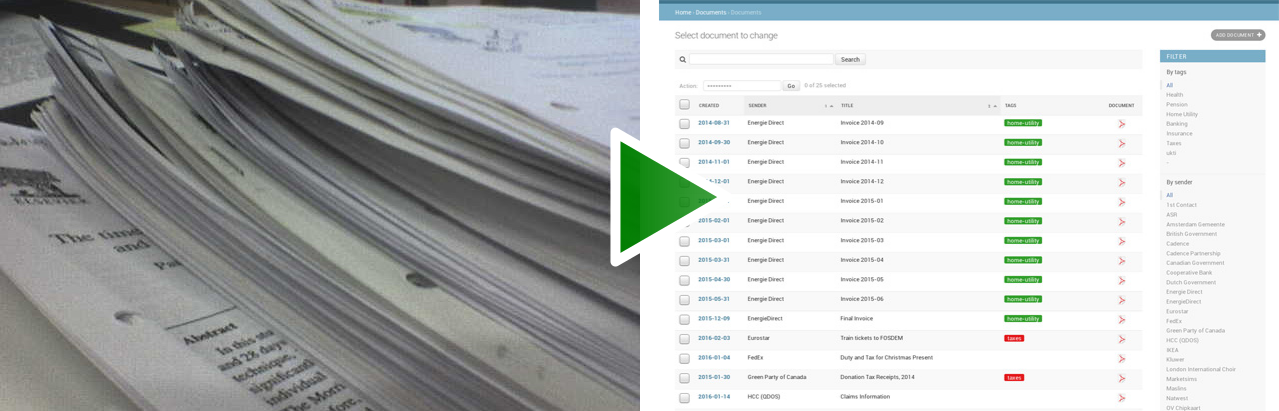
|
||||
|
||||
# Why Paperless-ng?
|
||||
|
||||
I wanted to make big changes to the project that will impact the way it is used by its users greatly. Among the users who currently use paperless in production there are probably many that don't want these changes right away. I also wanted to have more control over what goes into the code and what does not. Therefore, paperless-ng was created. NG stands for both Angular (the framework used for the Frontend) and next-gen. Publishing this project under a different name also avoids confusion between paperless and paperless-ng.
|
||||
@@ -33,6 +29,7 @@ The gist of the changes is the following:
|
||||
|
||||
* New front end. This will eventually be mobile friendly as well.
|
||||
* New full text search.
|
||||
* New email processing.
|
||||
* Machine learning powered document matching.
|
||||
* Code cleanup in many, MANY areas.
|
||||
|
||||
@@ -49,22 +46,19 @@ These features will make it into the application at some point, sorted by priori
|
||||
- Ability to search for “Similar documents” in the search results
|
||||
- Provide corrections for mispelled queries
|
||||
- **More robust consumer** that shows its progress on the web page.
|
||||
- **More rigid email processing**. Like, dont delete imported mail, provide filters, etc...
|
||||
- **Arbitrary tag colors**. Allow the selection of any color with a color picker.
|
||||
|
||||
## On the chopping block.
|
||||
|
||||
I don't know if these features are used all that much. I don't exactly know how they work and will probably remove them at some point in the future.
|
||||
|
||||
- **GnuPG encrypion.** Since its disabled by default and the website allows transparent access to encrypted documents anyway, this doesn’t really provide any benefit over having the application stored on an encrypted file system.
|
||||
|
||||
# Getting started
|
||||
|
||||
The recommended way to deploy paperless is docker-compose. Use the provided docker-compose.yml files to get started. This pulls the image from Docker hub. Alternatively, you can build the image yourself.
|
||||
The recommended way to deploy paperless is docker-compose. Grab the latest release to get started. the dockerfiles archive contains just the docker files which will pull the image from docker hub. The source archive contains everything you need to build the docker image yourself.
|
||||
|
||||
Read the [documentation](https://paperless-ng.readthedocs.io/en/latest/setup.html#installation) on how to get started.
|
||||
|
||||
Alternatively, you can install the dependencies and setup apache and a database server yourself. Details for that will be available in the documentation.
|
||||
Alternatively, you can install the dependencies and setup apache and a database server yourself. Details for that will be available in the documentation at some point.
|
||||
|
||||
# Migrating to paperless-ng
|
||||
|
||||
|
||||
@@ -15,8 +15,42 @@ map_uidgid() {
|
||||
fi
|
||||
}
|
||||
|
||||
|
||||
wait_for_postgres() {
|
||||
attempt_num=1
|
||||
max_attempts=5
|
||||
|
||||
echo "Waiting for PostgreSQL to start..."
|
||||
|
||||
host="${PAPERLESS_DBHOST}"
|
||||
|
||||
while !</dev/tcp/$host/5432 ;
|
||||
do
|
||||
|
||||
if [ $attempt_num -eq $max_attempts ]
|
||||
then
|
||||
echo "Unable to connect to database."
|
||||
exit 1
|
||||
else
|
||||
echo "Attempt $attempt_num failed! Trying again in 5 seconds..."
|
||||
|
||||
fi
|
||||
|
||||
attempt_num=$(expr "$attempt_num" + 1)
|
||||
sleep 5
|
||||
done
|
||||
|
||||
|
||||
}
|
||||
|
||||
|
||||
migrations() {
|
||||
|
||||
if [[ -n "${PAPERLESS_DBHOST}" ]]
|
||||
then
|
||||
wait_for_postgres
|
||||
fi
|
||||
|
||||
(
|
||||
# flock is in place to prevent multiple containers from doing migrations
|
||||
# simultaneously. This also ensures that the db is ready when the command
|
||||
|
||||
@@ -15,7 +15,7 @@ services:
|
||||
POSTGRES_PASSWORD: paperless
|
||||
|
||||
webserver:
|
||||
image: jonaswinkler/paperless-ng:0.9
|
||||
image: jonaswinkler/paperless-ng:0.9.2
|
||||
restart: always
|
||||
depends_on:
|
||||
- db
|
||||
@@ -5,7 +5,7 @@ services:
|
||||
restart: always
|
||||
|
||||
webserver:
|
||||
image: jonaswinkler/paperless-ng:0.9
|
||||
image: jonaswinkler/paperless-ng:0.9.2
|
||||
restart: always
|
||||
depends_on:
|
||||
- broker
|
||||
|
||||
@@ -1,7 +1,3 @@
|
||||
###############################################################################
|
||||
### Back end ###
|
||||
###############################################################################
|
||||
|
||||
FROM python:3.7-slim
|
||||
|
||||
WORKDIR /usr/src/paperless/
|
||||
|
||||
@@ -82,6 +82,13 @@ A. If you used the docker-compose file, simply download the files of the new re
|
||||
If you see everything working, you can start paperless-ng with "-d" to have it
|
||||
run in the background.
|
||||
|
||||
.. hint::
|
||||
|
||||
The released docker-compose files specify exact versions to be pulled from the hub.
|
||||
This is to ensure that if the docker-compose files should change at some point
|
||||
(i.e., services updates/configured differently), you wont run into trouble due to
|
||||
docker pulling the ``latest`` image and running it in an older environment.
|
||||
|
||||
B. If you built the image yourself, grab the new archive and replace your current
|
||||
paperless folder with the new contents.
|
||||
|
||||
@@ -120,6 +127,7 @@ After grabbing the new release and unpacking the contents, do the following:
|
||||
$ pip install --upgrade pipenv
|
||||
$ cd /path/to/paperless
|
||||
$ pipenv install
|
||||
$ pipenv clean
|
||||
|
||||
This creates a new virtual environment (or uses your existing environment)
|
||||
and installs all dependencies into it.
|
||||
@@ -143,7 +151,7 @@ Management utilities
|
||||
####################
|
||||
|
||||
Paperless comes with some management commands that perform various maintenance
|
||||
tasks on your paperless instance. You can invoce these commands either by
|
||||
tasks on your paperless instance. You can invoke these commands either by
|
||||
|
||||
.. code:: bash
|
||||
|
||||
@@ -311,6 +319,19 @@ the naming scheme.
|
||||
The command takes no arguments and processes all your documents at once.
|
||||
|
||||
|
||||
Fetching e-mail
|
||||
===============
|
||||
|
||||
Paperless automatically fetches your e-mail every 10 minutes by default. If
|
||||
you want to invoke the email consumer manually, call the following management
|
||||
command:
|
||||
|
||||
.. code::
|
||||
|
||||
mail_fetcher
|
||||
|
||||
The command takes no arguments and processes all your mail accounts and rules.
|
||||
|
||||
.. _utilities-encyption:
|
||||
|
||||
Managing encryption
|
||||
@@ -320,7 +341,7 @@ Documents can be stored in Paperless using GnuPG encryption.
|
||||
|
||||
.. danger::
|
||||
|
||||
Decryption is depreceated since paperless-ng 0.9 and doesn't really provide any
|
||||
Encryption is depreceated since paperless-ng 0.9 and doesn't really provide any
|
||||
additional security, since you have to store the passphrase in a configuration
|
||||
file on the same system as the encrypted documents for paperless to work.
|
||||
Furthermore, the entire text content of the documents is stored plain in the
|
||||
|
||||
@@ -52,6 +52,8 @@ filename as described above.
|
||||
|
||||
.. _dateparser: https://github.com/scrapinghub/dateparser/blob/v0.7.0/docs/usage.rst#settings
|
||||
|
||||
.. _advanced-transforming_filenames:
|
||||
|
||||
Transforming filenames for parsing
|
||||
==================================
|
||||
|
||||
@@ -219,6 +221,7 @@ the consumption process will begin with the newly modified file.
|
||||
|
||||
.. _pdf2pdfocr.py: https://github.com/LeoFCardoso/pdf2pdfocr
|
||||
|
||||
.. _advanced-post_consume_script:
|
||||
|
||||
Post-consumption script
|
||||
=======================
|
||||
|
||||
@@ -91,6 +91,7 @@ Result object:
|
||||
"document": {
|
||||
|
||||
}
|
||||
}
|
||||
|
||||
* ``id``: the primary key of the found document
|
||||
* ``highlights``: an object containing parseable highlights for the result.
|
||||
@@ -109,7 +110,7 @@ Each fragment contains a list of strings, and some of them are marked as a highl
|
||||
|
||||
.. code:: json
|
||||
|
||||
"highlights": [
|
||||
[
|
||||
[
|
||||
{"text": "This is a sample text with a "},
|
||||
{"text": "highlighted", "term": 0},
|
||||
@@ -121,6 +122,8 @@ Each fragment contains a list of strings, and some of them are marked as a highl
|
||||
]
|
||||
]
|
||||
|
||||
|
||||
|
||||
When ``term`` is present within a string, the word within ``text`` should be highlighted.
|
||||
The term index groups multiple matches together and words with the same index
|
||||
should get identical highlighting.
|
||||
|
||||
@@ -5,6 +5,44 @@
|
||||
Changelog
|
||||
*********
|
||||
|
||||
paperless-ng 0.9.2
|
||||
##################
|
||||
|
||||
* Major changes to the front end (colors, logo, shadows, layout of the cards,
|
||||
better mobile support)
|
||||
|
||||
* Paperless now uses mime types and libmagic detection to determine
|
||||
if a file type is supported and which parser to use. Removes all
|
||||
file type checks that where present in MANY different places in
|
||||
paperless.
|
||||
|
||||
* Mail consumer now correctly consumes documents even when their
|
||||
content type was not set correctly. (i.e. PDF documents with
|
||||
content type ``application/octet-stream``)
|
||||
|
||||
* Basic sorting of mail rules added
|
||||
|
||||
* Much better admin for mail rule editing.
|
||||
|
||||
* Docker entrypoint script awaits the database server if it is
|
||||
configured.
|
||||
|
||||
* Disabled editing of logs.
|
||||
|
||||
* New setting ``PAPERLESS_OCR_PAGES`` limits the tesseract parser
|
||||
to the first n pages of scanned documents.
|
||||
|
||||
* Fixed a bug where tasks with too long task names would not show
|
||||
up in the admin.
|
||||
|
||||
paperless-ng 0.9.1
|
||||
##################
|
||||
|
||||
* Moved documentation of the settings to the actual documentation.
|
||||
* Updated release script to force the user to choose between SQLite
|
||||
and PostgreSQL. This avoids confusion when upgrading from paperless.
|
||||
|
||||
|
||||
paperless-ng 0.9.0
|
||||
##################
|
||||
|
||||
@@ -66,7 +104,6 @@ paperless-ng 0.9.0
|
||||
|
||||
* If ``PAPERLESS_DBHOST`` is specified in the settings, paperless uses postgresql instead of sqlite.
|
||||
Username, database and password all default to ``paperless`` if not specified.
|
||||
* **docker-compose.yml uses PostgreSQL by default.**
|
||||
|
||||
* **Modified [breaking]:** document_retagger management command rework. See
|
||||
:ref:`utilities-retagger` for details. Replaces ``document_correspondents``
|
||||
|
||||
@@ -1,9 +1,10 @@
|
||||
.. _configuration:
|
||||
|
||||
*************
|
||||
Configuration
|
||||
*************
|
||||
|
||||
Paperless provides a wide range of customizations.
|
||||
Have a look at ``paperless.conf.example`` for available configuration options.
|
||||
Depending on how you run paperless, these settings have to be defined in different
|
||||
places.
|
||||
|
||||
@@ -18,5 +19,298 @@ places.
|
||||
/etc/paperless.conf
|
||||
/usr/local/etc/paperless.conf
|
||||
|
||||
Copy ``paperless.conf.example`` to any of these locations and adjust it to your
|
||||
needs.
|
||||
|
||||
Required services
|
||||
#################
|
||||
|
||||
PAPERLESS_REDIS=<url>
|
||||
This is required for processing scheduled tasks such as email fetching, index
|
||||
optimization and for training the automatic document matcher.
|
||||
|
||||
Defaults to redis://localhost:6379.
|
||||
|
||||
PAPERLESS_DBHOST=<hostname>
|
||||
By default, sqlite is used as the database backend. This can be changed here.
|
||||
Set PAPERLESS_DBHOST and PostgreSQL will be used instead of mysql.
|
||||
|
||||
PAPERLESS_DBPORT=<port>
|
||||
Adjust port if necessary.
|
||||
|
||||
Default is 5432.
|
||||
|
||||
PAPERLESS_DBNAME=<name>
|
||||
Database name in PostgreSQL.
|
||||
|
||||
Defaults to "paperless".
|
||||
|
||||
PAPERLESS_DBUSER=<name>
|
||||
Database user in PostgreSQL.
|
||||
|
||||
Defaults to "paperless".
|
||||
|
||||
PAPERLESS_DBPASS=<password>
|
||||
Database password for PostgreSQL.
|
||||
|
||||
Defaults to "paperless".
|
||||
|
||||
|
||||
Paths and folders
|
||||
#################
|
||||
|
||||
PAPERLESS_CONSUMPTION_DIR=<path>
|
||||
This where your documents should go to be consumed. Make sure that it exists
|
||||
and that the user running the paperless service can read/write its contents
|
||||
before you start Paperless.
|
||||
|
||||
Don't change this when using docker, as it only changes the path within the
|
||||
container. Change the local consumption directory in the docker-compose.yml
|
||||
file instead.
|
||||
|
||||
Defaults to "../consume", relative to the "src" directory.
|
||||
|
||||
PAPERLESS_DATA_DIR=<path>
|
||||
This is where paperless stores all its data (search index, sqlite database,
|
||||
classification model, etc).
|
||||
|
||||
Defaults to "../data", relative to the "src" directory.
|
||||
|
||||
PAPERLESS_MEDIA_ROOT=<path>
|
||||
This is where your documents and thumbnails are stored.
|
||||
|
||||
You can set this and PAPERLESS_DATA_DIR to the same folder to have paperless
|
||||
store all its data within the same volume.
|
||||
|
||||
Defaults to "../media", relative to the "src" directory.
|
||||
|
||||
PAPERLESS_STATICDIR=<path>
|
||||
Override the default STATIC_ROOT here. This is where all static files
|
||||
created using "collectstatic" manager command are stored.
|
||||
|
||||
Unless you're doing something fancy, there is no need to override this.
|
||||
|
||||
Defaults to "../static", relative to the "src" directory.
|
||||
|
||||
PAPERLESS_FILENAME_FORMAT=<format>
|
||||
Changes the filenames paperless uses to store documents in the media directory.
|
||||
See :ref:`advanced-file_name_handling` for details.
|
||||
|
||||
Default is none, which disables this feature.
|
||||
|
||||
Hosting & Security
|
||||
##################
|
||||
|
||||
PAPERLESS_SECRET_KEY=<key>
|
||||
Paperless uses this to make session tokens. If you exose paperless on the
|
||||
internet, you need to change this, since the default secret is well known.
|
||||
|
||||
Use any sequence of characters. The more, the better. You don't need to
|
||||
remember this. Just face-roll your keyboard.
|
||||
|
||||
Default is listed in the file ``src/paperless/settings.py``.
|
||||
|
||||
PAPERLESS_ALLOWED_HOSTS<comma-separated-list>
|
||||
If you're planning on putting Paperless on the open internet, then you
|
||||
really should set this value to the domain name you're using. Failing to do
|
||||
so leaves you open to HTTP host header attacks:
|
||||
https://docs.djangoproject.com/en/3.1/topics/security/#host-header-validation
|
||||
|
||||
Just remember that this is a comma-separated list, so "example.com" is fine,
|
||||
as is "example.com,www.example.com", but NOT " example.com" or "example.com,"
|
||||
|
||||
Defaults to "*", which is all hosts.
|
||||
|
||||
PAPERLESS_CORS_ALLOWED_HOSTS<comma-separated-list>
|
||||
You need to add your servers to the list of allowed hosts that can do CORS
|
||||
calls. Set this to your public domain name.
|
||||
|
||||
Defaults to "http://localhost:8000".
|
||||
|
||||
PAPERLESS_FORCE_SCRIPT_NAME=<path>
|
||||
To host paperless under a subpath url like example.com/paperless you set
|
||||
this value to /paperless. No trailing slash!
|
||||
|
||||
.. note::
|
||||
|
||||
I don't know if this works in paperless-ng. Probably not.
|
||||
|
||||
Defaults to none, which hosts paperless at "/".
|
||||
|
||||
PAPERLESS_STATIC_URL=<path>
|
||||
Override the STATIC_URL here. Unless you're hosting Paperless off a
|
||||
subdomain like /paperless/, you probably don't need to change this.
|
||||
|
||||
Defaults to "/static/".
|
||||
|
||||
|
||||
Software tweaks
|
||||
###############
|
||||
|
||||
PAPERLESS_TASK_WORKERS=<num>
|
||||
Paperless does multiple things in the background: Maintain the search index,
|
||||
maintain the automatic matching algorithm, check emails, consume documents,
|
||||
etc. This variable specifies how many things it will do in parallel.
|
||||
|
||||
PAPERLESS_THREADS_PER_WORKER=<num>
|
||||
Furthermore, paperless uses multiple threads when consuming documents to
|
||||
speed up OCR. This variable specifies how many pages paperless will process
|
||||
in parallel on a single document.
|
||||
|
||||
.. caution::
|
||||
|
||||
Ensure that the product
|
||||
|
||||
PAPERLESS_TASK_WORKERS * PAPERLESS_THREADS_PER_WORKER
|
||||
|
||||
does not exceed your CPU core count or else paperless will be extremely slow.
|
||||
If you want paperless to process many documents in parallel, choose a high
|
||||
worker count. If you want paperless to process very large documents faster,
|
||||
use a higher thread per worker count.
|
||||
|
||||
The default is a balance between the two, according to your CPU core count,
|
||||
with a slight favor towards threads per worker, and using as much cores as
|
||||
possible.
|
||||
|
||||
If you only specify PAPERLESS_TASK_WORKERS, paperless will adjust
|
||||
PAPERLESS_THREADS_PER_WORKER automatically.
|
||||
|
||||
|
||||
|
||||
PAPERLESS_TIME_ZONE=<timezone>
|
||||
Set the time zone here.
|
||||
See https://docs.djangoproject.com/en/3.1/ref/settings/#std:setting-TIME_ZONE
|
||||
for details on how to set it.
|
||||
|
||||
Defaults to UTC.
|
||||
|
||||
|
||||
|
||||
PAPERLESS_OCR_PAGES=<num>
|
||||
Tells paperless to use only the specified amount of pages for OCR. Documents
|
||||
with less than the specified amount of pages get OCR'ed completely.
|
||||
|
||||
Specifying 1 here will only use the first page.
|
||||
|
||||
Defaults to 0, which disables this feature and always uses all pages.
|
||||
|
||||
|
||||
|
||||
PAPERLESS_OCR_LANGUAGE=<lang>
|
||||
Customize the default language that tesseract will attempt to use when
|
||||
parsing documents. The default language is used whenever
|
||||
|
||||
* No language could be detected on a document
|
||||
* No tesseract data files are available for the detected language
|
||||
|
||||
It should be a 3-letter language code consistent with ISO
|
||||
639: https://www.loc.gov/standards/iso639-2/php/code_list.php
|
||||
|
||||
Set this to the language most of your documents are written in.
|
||||
|
||||
Defaults to "eng".
|
||||
|
||||
PAPERLESS_OCR_ALWAYS=<bool>
|
||||
By default Paperless does not OCR a document if the text can be retrieved from
|
||||
the document directly. Set to true to always OCR documents.
|
||||
|
||||
Defaults to false.
|
||||
|
||||
PAPERLESS_CONSUMER_POLLING=<num>
|
||||
If paperless won't find documents added to your consume folder, it might
|
||||
not be able to automatically detect filesystem changes. In that case,
|
||||
specify a polling interval in seconds here, which will then cause paperless
|
||||
to periodically check your consumption directory for changes.
|
||||
|
||||
Defaults to 0, which disables polling and uses filesystem notifiactions.
|
||||
|
||||
PAPERLESS_CONSUMER_DELETE_DUPLICATES=<bool>
|
||||
When the consumer detects a duplicate document, it will not touch the
|
||||
original document. This default behavior can be changed here.
|
||||
|
||||
Defaults to false.
|
||||
|
||||
PAPERLESS_CONVERT_MEMORY_LIMIT=<num>
|
||||
On smaller systems, or even in the case of Very Large Documents, the consumer
|
||||
may explode, complaining about how it's "unable to extend pixel cache". In
|
||||
such cases, try setting this to a reasonably low value, like 32. The
|
||||
default is to use whatever is necessary to do everything without writing to
|
||||
disk, and units are in megabytes.
|
||||
|
||||
For more information on how to use this value, you should search
|
||||
the web for "MAGICK_MEMORY_LIMIT".
|
||||
|
||||
Defaults to 0, which disables the limit.
|
||||
|
||||
PAPERLESS_CONVERT_TMPDIR=<path>
|
||||
Similar to the memory limit, if you've got a small system and your OS mounts
|
||||
/tmp as tmpfs, you should set this to a path that's on a physical disk, like
|
||||
/home/your_user/tmp or something. ImageMagick will use this as scratch space
|
||||
when crunching through very large documents.
|
||||
|
||||
For more information on how to use this value, you should search
|
||||
the web for "MAGICK_TMPDIR".
|
||||
|
||||
Default is none, which disables the temporary directory.
|
||||
|
||||
PAPERLESS_CONVERT_DENSITY=<num>
|
||||
This setting has a high impact on the physical size of tmp page files,
|
||||
the speed of document conversion, and can affect the accuracy of OCR
|
||||
results. Individual results can vary and this setting should be tested
|
||||
thoroughly against the documents you are importing to see if it has any
|
||||
impacts either negative or positive.
|
||||
Testing on limited document sets has shown a setting of 200 can cut the
|
||||
size of tmp files by 1/3, and speed up conversion by up to 4x
|
||||
with little impact to OCR accuracy.
|
||||
|
||||
Default is 300.
|
||||
|
||||
PAPERLESS_OPTIMIZE_THUMBNAILS=<bool>
|
||||
Use optipng to optimize thumbnails. This usually reduces the sice of
|
||||
thumbnails by about 20%, but uses considerable compute time during
|
||||
consumption.
|
||||
|
||||
Defaults to true.
|
||||
|
||||
PAPERLESS_POST_CONSUME_SCRIPT=<filename>
|
||||
After a document is consumed, Paperless can trigger an arbitrary script if
|
||||
you like. This script will be passed a number of arguments for you to work
|
||||
with. For more information, take a look at :ref:`advanced-post_consume_script`.
|
||||
|
||||
The default is blank, which means nothing will be executed.
|
||||
|
||||
PAPERLESS_FILENAME_DATE_ORDER=<format>
|
||||
Paperless will check the document text for document date information.
|
||||
Use this setting to enable checking the document filename for date
|
||||
information. The date order can be set to any option as specified in
|
||||
https://dateparser.readthedocs.io/en/latest/settings.html#date-order.
|
||||
The filename will be checked first, and if nothing is found, the document
|
||||
text will be checked as normal.
|
||||
|
||||
Defaults to none, which disables this feature.
|
||||
|
||||
PAPERLESS_FILENAME_PARSE_TRANSFORMS
|
||||
Transforms filenames before they are processed by paperless. See
|
||||
:ref:`advanced-transforming_filenames` for details.
|
||||
|
||||
Defaults to none, which disables this feature.
|
||||
|
||||
Binaries
|
||||
########
|
||||
|
||||
There are a few external software packages that Paperless expects to find on
|
||||
your system when it starts up. Unless you've done something creative with
|
||||
their installation, you probably won't need to edit any of these. However,
|
||||
if you've installed these programs somewhere where simply typing the name of
|
||||
the program doesn't automatically execute it (ie. the program isn't in your
|
||||
$PATH), then you'll need to specify the literal path for that program.
|
||||
|
||||
PAPERLESS_CONVERT_BINARY=<path>
|
||||
Defaults to "/usr/bin/convert".
|
||||
|
||||
PAPERLESS_GS_BINARY=<path>
|
||||
Defaults to "/usr/bin/gs".
|
||||
|
||||
PAPERLESS_UNPAPER_BINARY=<path>
|
||||
Defaults to "/usr/bin/unpaper".
|
||||
|
||||
PAPERLESS_OPTIPNG_BINARY=<path>
|
||||
Defaults to "/usr/bin/optipng".
|
||||
|
||||
28
docs/faq.rst
28
docs/faq.rst
@@ -21,6 +21,17 @@ is
|
||||
files around manually. This folder is meant to be entirely managed by docker
|
||||
and paperless.
|
||||
|
||||
**Q:** *What file types does paperless-ng support?*
|
||||
|
||||
**A:** Currently, the following files are supported:
|
||||
|
||||
* PDF documents, PNG images and JPEG images are processed with OCR.
|
||||
* Plain text documents are supported as well and are added verbatim
|
||||
to paperless.
|
||||
|
||||
Paperless determines the type of a file by inspecting its content. The
|
||||
file extensions do not matter.
|
||||
|
||||
**Q:** *Will paperless-ng run on Raspberry Pi?*
|
||||
|
||||
**A:** The short answer is yes. I've tested it on a Raspberry Pi 3 B.
|
||||
@@ -32,21 +43,8 @@ in your browser and paperless has to do much less work to serve the data.
|
||||
|
||||
.. note::
|
||||
|
||||
Consider setting ``PAPERLESS_OPTIMIZE_THUMBNAILS`` to false to speed up
|
||||
the consumption process. This takes quite a bit of time on Raspberry Pi.
|
||||
|
||||
.. note::
|
||||
|
||||
Updating the :ref:`automatic matching algorithm <advanced-automatic_matching>`
|
||||
takes quite a bit of time. However, the update mechanism checks if your
|
||||
data has changed before doing the heavy lifting. If you experience the
|
||||
algorithm taking too much cpu time, consider changing the schedule in the
|
||||
admin interface to daily or weekly. You can also manually invoke the task
|
||||
by changing the date and time of the next run to today/now.
|
||||
|
||||
The actual matching of the algorithm is fast and works on Raspberry Pi as
|
||||
well as on any other device.
|
||||
|
||||
You can adjust some of the settings so that paperless uses less processing
|
||||
power. See :ref:`setup-less_powerful_devices` for details.
|
||||
|
||||
|
||||
**Q:** *How do I install paperless-ng on Raspberry Pi?*
|
||||
|
||||
@@ -25,14 +25,31 @@ and then shred them. Perhaps you might find it useful too.
|
||||
Paperless-ng
|
||||
============
|
||||
|
||||
I wanted to make big changes to the project that will impact the way it is used
|
||||
by its users greatly. Among the users who currently use paperless in production
|
||||
there are probably many that don't want these changes right away. I also wanted
|
||||
to have more control over what goes into the code and what does not. Therefore,
|
||||
paperless-ng was created. NG stands for both Angular (the framework used for the
|
||||
Paperless-ng is a fork of the original paperless project. It changes many
|
||||
things both on the surface and under the hood. Paperless-ng was created
|
||||
because I feel that these changes are too big to be pushed into the main
|
||||
repository right away.
|
||||
|
||||
NG stands for both Angular (the framework used for the
|
||||
Frontend) and next-gen. Publishing this project under a different name also
|
||||
avoids confusion between paperless and paperless-ng.
|
||||
|
||||
If you want to learn about what's different in paperless-ng, check out these
|
||||
resources in the documentation:
|
||||
|
||||
* :ref:`Some screenshots <screenshots>` of the new UI are available.
|
||||
* Read :ref:`this section <advanced-automatic_matching>` if you want to
|
||||
learn about how paperless automates all tagging using machine learning.
|
||||
* Paperless now comes with a :ref:`proper email consumer <usage-email>`
|
||||
that's fully tested and production ready.
|
||||
* See :ref:`this note <utilities-encyption>` about GnuPG encryption in
|
||||
paperless-ng.
|
||||
* Paperless is now integrated with a
|
||||
:ref:`task processing queue <setup-task_processor>` that tells you
|
||||
at a glance when and why something is not working.
|
||||
* The :ref:`changelog <paperless_changelog>` contains a detailed list of all changes
|
||||
in paperless-ng.
|
||||
|
||||
It would be great if this project could eventually merge back into the main
|
||||
repository, but it needs a lot more work before that can happen.
|
||||
|
||||
|
||||
@@ -1,3 +1,5 @@
|
||||
.. _screenshots:
|
||||
|
||||
***********
|
||||
Screenshots
|
||||
***********
|
||||
@@ -40,7 +42,8 @@ Fancy mail filters!
|
||||
|
||||
.. image:: _static/paperless-11-mail-filters.png
|
||||
|
||||
Mobile support in the future? This doesn't really work yet.
|
||||
Mobile support in the future? This kinda works, however some layouts are still
|
||||
too wide.
|
||||
|
||||
.. image:: _static/paperless-10-mobile.png
|
||||
|
||||
|
||||
189
docs/setup.rst
189
docs/setup.rst
@@ -10,10 +10,10 @@ Go to the project page on GitHub and download the
|
||||
`latest release <https://github.com/jonaswinkler/paperless-ng/releases>`_.
|
||||
There are multiple options available.
|
||||
|
||||
* Download the docker-compose files if you want to pull paperless from
|
||||
* Download the dockerfiles archive if you want to pull paperless from
|
||||
Docker Hub.
|
||||
|
||||
* Download the archive and extract it if you want to build the docker image
|
||||
* Download the dist archive and extract it if you want to build the docker image
|
||||
yourself or want to install paperless without docker.
|
||||
|
||||
.. hint::
|
||||
@@ -22,6 +22,15 @@ There are multiple options available.
|
||||
is not to pull the entire git repository. Paperless-ng includes artifacts
|
||||
that need to be compiled, and that's already done for you in the release.
|
||||
|
||||
.. admonition:: Want to try out paperless-ng before migrating?
|
||||
|
||||
The release contains a file ``.env`` which sets the docker-compose project
|
||||
name to "paperless", which is the same as before and instructs docker-compose
|
||||
to reuse and upgrade your paperless volumes.
|
||||
|
||||
Just rename the project name in that file to anything else and docker-compose
|
||||
will create fresh volumes for you!
|
||||
|
||||
|
||||
Overview of Paperless-ng
|
||||
########################
|
||||
@@ -57,6 +66,8 @@ Paperless consists of the following components:
|
||||
$ cd /path/to/paperless/src/
|
||||
$ pipenv run python3 manage.py document_consumer
|
||||
|
||||
.. _setup-task_processor:
|
||||
|
||||
* **The task processor:** Paperless relies on `Django Q <https://django-q.readthedocs.io/en/latest/>`_
|
||||
for doing much of the heavy lifting. This is a task queue that accepts tasks from
|
||||
multiple sources and processes tasks in parallel. It also comes with a scheduler that executes
|
||||
@@ -77,7 +88,8 @@ Paperless consists of the following components:
|
||||
a modern multicore system, consumption with full ocr is blazing fast.
|
||||
|
||||
The task processor comes with a built-in admin interface that you can use to see whenever any of the
|
||||
tasks fail and inspect the errors.
|
||||
tasks fail and inspect the errors (i.e., wrong email credentials, errors during consuming a specific
|
||||
file, etc).
|
||||
|
||||
You may start the task processor by executing:
|
||||
|
||||
@@ -116,7 +128,7 @@ Docker Route
|
||||
|
||||
.. caution::
|
||||
|
||||
If you want to use the included ``docker-compose.yml.example`` file, you
|
||||
If you want to use the included ``docker-compose.*.yml`` file, you
|
||||
need to have at least Docker version **17.09.0** and docker-compose
|
||||
version **1.17.0**.
|
||||
|
||||
@@ -129,6 +141,14 @@ Docker Route
|
||||
.. _Docker installation guide: https://docs.docker.com/engine/installation/
|
||||
.. _docker-compose installation guide: https://docs.docker.com/compose/install/
|
||||
|
||||
2. Copy either ``docker-compose.sqlite.yml`` or ``docker-compose.postgres.yml`` to
|
||||
``docker-compose.yml``, depending on which database backend you want to use.
|
||||
|
||||
.. hint::
|
||||
|
||||
For new installations, it is recommended to use postgresql as the database
|
||||
backend. This is due to the increased amount of concurrency in paperless-ng.
|
||||
|
||||
2. Modify ``docker-compose.yml`` to your preferences. You should change the path
|
||||
to the consumption directory in this file. Find the line that specifies where
|
||||
to mount the consumption directory:
|
||||
@@ -154,6 +174,11 @@ Docker Route
|
||||
1000 (the default for the first normal user on most systems), it will
|
||||
work out of the box without any modifications.
|
||||
|
||||
.. note::
|
||||
|
||||
You can use any settings from the file ``paperless.conf`` in this file.
|
||||
Have a look at :ref:`configuration` to see whats available.
|
||||
|
||||
4. Run ``docker-compose up -d``. This will create and start the necessary
|
||||
containers. This will also build the image of paperless if you grabbed the
|
||||
source archive.
|
||||
@@ -196,14 +221,9 @@ things have changed under the hood, so you need to adapt your setup depending on
|
||||
how you installed paperless. The important things to keep in mind are as follows.
|
||||
|
||||
* Read the :ref:`changelog <paperless_changelog>` and take note of breaking changes.
|
||||
* It is recommended to use postgresql as the database now. The docker-compose
|
||||
deployment will automatically create a postgresql instance and instruct
|
||||
paperless to use it. This means that if you use the docker-compose script
|
||||
with your current paperless media and data volumes and used the default
|
||||
sqlite database, **it will not use your sqlite database and it may seem
|
||||
as if your documents are gone**. You may use the provided
|
||||
``docker-compose.sqlite.yml`` script instead, which does not use postgresql. See
|
||||
:ref:`setup-sqlite_to_psql` for details on how to move your data from
|
||||
* It is recommended to use postgresql as the database now. If you want to continue
|
||||
using SQLite, which is the default of paperless, use ``docker-compose.sqlite.yml``.
|
||||
See :ref:`setup-sqlite_to_psql` for details on how to move your data from
|
||||
sqlite to postgres.
|
||||
* The task scheduler of paperless, which is used to execute periodic tasks
|
||||
such as email checking and maintenance, requires a `redis`_ message broker
|
||||
@@ -228,33 +248,156 @@ Migration to paperless-ng is then performed in a few simple steps:
|
||||
3. Download the latest release of paperless-ng. You can either go with the
|
||||
docker-compose files or use the archive to build the image yourself.
|
||||
You can either replace your current paperless folder or put paperless-ng
|
||||
in a different location. Paperless-ng will use the same docker volumes
|
||||
as paperless.
|
||||
in a different location.
|
||||
|
||||
4. Adjust ``docker-compose.yml`` and
|
||||
.. caution::
|
||||
|
||||
The release include a ``.env`` file. This will set the
|
||||
project name for docker compose to ``paperless`` so that paperless-ng will
|
||||
automatically reuse your existing paperless volumes. When you start it, it
|
||||
will migrate your existing data. After that, your old paperless installation
|
||||
will be incompatible with the migrated volumes.
|
||||
|
||||
4. Copy the ``docker-compose.sqlite.yml`` file to ``docker-compose.yml``.
|
||||
If you want to migrate to PostgreSQL, do that after you migrated your existing
|
||||
SQLite database.
|
||||
|
||||
5. Adjust ``docker-compose.yml`` and
|
||||
``docker-compose.env`` to your needs.
|
||||
See `docker route`_ for details on which edits are required.
|
||||
|
||||
5. Update paperless. See :ref:`administration-updating` for details.
|
||||
See `docker route`_ for details on which edits are advised.
|
||||
|
||||
6. Start paperless-ng.
|
||||
|
||||
.. code:: bash
|
||||
|
||||
$ docker-compose up
|
||||
|
||||
If you see everything working (you should see some migrations getting
|
||||
applied, for instance), you can gracefully stop paperless-ng with Ctrl-C
|
||||
and then start paperless-ng as usual with
|
||||
|
||||
.. code:: bash
|
||||
|
||||
$ docker-compose up -d
|
||||
|
||||
This will run paperless in the background and automatically start it on system boot.
|
||||
|
||||
7. Paperless installed a permanent redirect to ``admin/`` in your browser. This
|
||||
redirect is still in place and prevents access to the new UI. Clear
|
||||
everything related to paperless in your browsers data in order to fix
|
||||
this issue.
|
||||
browsing cache in order to fix this.
|
||||
|
||||
8. Optionally, follow the instructions below to migrate your existing data to PostgreSQL.
|
||||
|
||||
|
||||
.. _setup-sqlite_to_psql:
|
||||
|
||||
Moving data from sqlite to postgresql
|
||||
Moving data from SQLite to PostgreSQL
|
||||
=====================================
|
||||
|
||||
.. warning::
|
||||
Moving your data from SQLite to PostgreSQL is done via executing a series of django
|
||||
management commands as below.
|
||||
|
||||
.. caution::
|
||||
|
||||
Make sure that your sqlite database is migrated to the latest version.
|
||||
Starting paperless will make sure that this is the case. If your try to
|
||||
load data from an old database schema in SQLite into a newer database
|
||||
schema in PostgreSQL, you will run into trouble.
|
||||
|
||||
1. Stop paperless, if it is running.
|
||||
2. Tell paperless to use PostgreSQL:
|
||||
|
||||
a) With docker, copy the provided ``docker-compose.postgres.yml`` file to
|
||||
``docker-compose.yml``. Remember to adjust the consumption directory,
|
||||
if necessary.
|
||||
b) Without docker, configure the database in your ``paperless.conf`` file.
|
||||
See :ref:`configuration` for details.
|
||||
|
||||
3. Open a shell and initialize the database:
|
||||
|
||||
a) With docker, run the following command to open a shell within the paperless
|
||||
container:
|
||||
|
||||
.. code:: shell-session
|
||||
|
||||
$ cd /path/to/paperless
|
||||
$ docker-compose run --rm webserver /bin/bash
|
||||
|
||||
This will lauch the container and initialize the PostgreSQL database.
|
||||
|
||||
b) Without docker, open a shell in your virtual environment, switch to
|
||||
the ``src`` directory and create the database schema:
|
||||
|
||||
.. code:: shell-session
|
||||
|
||||
$ cd /path/to/paperless
|
||||
$ pipenv shell
|
||||
$ cd src
|
||||
$ python3 manage.py migrate
|
||||
|
||||
This will not copy any data yet.
|
||||
|
||||
4. Dump your data from SQLite:
|
||||
|
||||
.. code:: shell-session
|
||||
|
||||
$ python3 manage.py dumpdata --database=sqlite --exclude=contenttypes --exclude=auth.Permission > data.json
|
||||
|
||||
5. Load your data into PostgreSQL:
|
||||
|
||||
.. code:: shell-session
|
||||
|
||||
$ python3 manage.py loaddata data.json
|
||||
|
||||
6. Exit the shell.
|
||||
|
||||
.. code:: shell-session
|
||||
|
||||
$ exit
|
||||
|
||||
7. Start paperless.
|
||||
|
||||
|
||||
.. _setup-less_powerful_devices:
|
||||
|
||||
|
||||
Considerations for less powerful devices
|
||||
########################################
|
||||
|
||||
Paperless runs on Raspberry Pi. However, some things are rather slow on the Pi and
|
||||
configuring some options in paperless can help improve performance immensely:
|
||||
|
||||
* Consider setting ``PAPERLESS_OCR_PAGES`` to 1, so that paperless will only OCR
|
||||
the first page of your documents.
|
||||
* ``PAPERLESS_TASK_WORKERS`` and ``PAPERLESS_THREADS_PER_WORKER`` are configured
|
||||
to use all cores. The Raspberry Pi models 3 and up have 4 cores, meaning that
|
||||
paperless will use 2 workers and 2 threads per worker. This may result in
|
||||
slugish response times during consumption, so you might want to lower these
|
||||
settings (example: 2 workers and 1 thread to always have some computing power
|
||||
left for other tasks).
|
||||
* Keep ``PAPERLESS_OCR_ALWAYS`` at its default value 'false' and consider OCR'ing
|
||||
your documents before feeding them into paperless. Some scanners are able to
|
||||
do this!
|
||||
* Lower ``PAPERLESS_CONVERT_DENSITY`` from its default value 300 to 200. This
|
||||
will still result in rather accurate OCR, but will decrease consumption time
|
||||
by quite a bit.
|
||||
* Set ``PAPERLESS_OPTIMIZE_THUMBNAILS`` to 'false' if you want faster consumption
|
||||
times. Thumbnails will be about 20% larger.
|
||||
|
||||
For details, refer to :ref:`configuration`.
|
||||
|
||||
.. note::
|
||||
|
||||
Updating the :ref:`automatic matching algorithm <advanced-automatic_matching>`
|
||||
takes quite a bit of time. However, the update mechanism checks if your
|
||||
data has changed before doing the heavy lifting. If you experience the
|
||||
algorithm taking too much cpu time, consider changing the schedule in the
|
||||
admin interface to daily. You can also manually invoke the task
|
||||
by changing the date and time of the next run to today/now.
|
||||
|
||||
The actual matching of the algorithm is fast and works on Raspberry Pi as
|
||||
well as on any other device.
|
||||
|
||||
|
||||
TBD.
|
||||
|
||||
.. _redis: https://redis.io/
|
||||
|
||||
@@ -82,6 +82,7 @@ files from the scanner. Typically, you're looking at an FTP server like
|
||||
|
||||
.. TODO: hyperref to configuration of the location of this magic folder.
|
||||
|
||||
.. _usage-email:
|
||||
|
||||
IMAP (Email)
|
||||
============
|
||||
@@ -133,6 +134,11 @@ These are as follows:
|
||||
paperless will read them automatically. The default acion "mark as read" is
|
||||
pretty tame and will not cause any damage or data loss whatsoever.
|
||||
|
||||
You can also setup a special folder in your mail account for paperless and use
|
||||
your favorite mail client to move to be consumed mails into that folder
|
||||
automatically or manually and tell paperless to move them to yet another folder
|
||||
after consumption. It's up to you.
|
||||
|
||||
.. note::
|
||||
|
||||
Paperless will process the rules in the order defined in the admin page.
|
||||
|
||||
@@ -1,287 +1,56 @@
|
||||
# Sample paperless.conf
|
||||
# Copy this file to /etc/paperless.conf and modify it to suit your needs.
|
||||
# As this file contains passwords it should only be readable by the user
|
||||
# running paperless.
|
||||
# Have a look at the docs for documentation.
|
||||
# https://paperless-ng.readthedocs.io/en/latest/configuration.html
|
||||
|
||||
###############################################################################
|
||||
#### Message Broker ####
|
||||
###############################################################################
|
||||
# Debug. Only enable this for development.
|
||||
|
||||
#PAPERLESS_DEBUG=false
|
||||
|
||||
# Required services
|
||||
|
||||
# This is required for processing scheduled tasks such as email fetching, index
|
||||
# optimization and for training the automatic document matcher.
|
||||
# Defaults to localhost:6379.
|
||||
#PAPERLESS_REDIS=redis://localhost:6379
|
||||
|
||||
|
||||
###############################################################################
|
||||
#### Database Settings ####
|
||||
###############################################################################
|
||||
|
||||
# By default, sqlite is used as the database backend. This can be changed here.
|
||||
# The docker-compose service definition uses a postgresql server. The
|
||||
# configuration for this is already done inside the docker-compose.env file.
|
||||
|
||||
#Set PAPERLESS_DBHOST and postgresql will be used instead of mysql.
|
||||
#PAPERLESS_DBHOST=localhost
|
||||
|
||||
#Adjust port if necessary
|
||||
#PAPERLESS_DBPORT=
|
||||
|
||||
#name, user and pass all default to "paperless"
|
||||
#PAPERLESS_DBPORT=5432
|
||||
#PAPERLESS_DBNAME=paperless
|
||||
#PAPERLESS_DBUSER=paperless
|
||||
#PAPERLESS_DBPASS=paperless
|
||||
|
||||
# Paths and folders
|
||||
|
||||
###############################################################################
|
||||
#### Paths & Folders ####
|
||||
###############################################################################
|
||||
|
||||
# This where your documents should go to be consumed. Make sure that it exists
|
||||
# and that the user running the paperless service can read/write its contents
|
||||
# before you start Paperless.
|
||||
PAPERLESS_CONSUMPTION_DIR=../consume
|
||||
|
||||
# This is where paperless stores all its data (search index, sqlite database,
|
||||
# classification model, etc).
|
||||
#PAPERLESS_CONSUMPTION_DIR=../consume
|
||||
#PAPERLESS_DATA_DIR=../data
|
||||
|
||||
# This is where your documents and thumbnails are stored.
|
||||
#PAPERLESS_MEDIA_ROOT=../media
|
||||
|
||||
# Override the default STATIC_ROOT here. This is where all static files
|
||||
# created using "collectstatic" manager command are stored.
|
||||
#PAPERLESS_STATICDIR=../static
|
||||
|
||||
|
||||
# Override the STATIC_URL here. Unless you're hosting Paperless off a
|
||||
# subdomain like /paperless/, you probably don't need to change this.
|
||||
#PAPERLESS_STATIC_URL=/static/
|
||||
|
||||
|
||||
# Specify a filename format for the document (directories are supported)
|
||||
# Use the following placeholders:
|
||||
# * {correspondent}
|
||||
# * {title}
|
||||
# * {created}
|
||||
# * {added}
|
||||
# * {tags[KEY]} If your tags conform to key_value or key-value
|
||||
# * {tags[INDEX]} If your tags are strings, select the tag by index
|
||||
# Uniqueness of filenames is ensured, as an incrementing counter is attached
|
||||
# to each filename.
|
||||
#PAPERLESS_FILENAME_FORMAT=
|
||||
|
||||
###############################################################################
|
||||
#### Security ####
|
||||
###############################################################################
|
||||
# Security and hosting
|
||||
|
||||
# Controls whether django's debug mode is enabled. Disable this on production
|
||||
# systems. Debug mode is disabled by default.
|
||||
#PAPERLESS_DEBUG=false
|
||||
|
||||
# GnuPG encryption is deprecated and will be removed in future versions.
|
||||
#
|
||||
# Dont use it. It does not provide any security at all.
|
||||
#
|
||||
# Paperless can be instructed to attempt to encrypt your PDF files with GPG
|
||||
# using the PAPERLESS_PASSPHRASE specified below. If however you're not
|
||||
# concerned about encrypting these files (for example if you have disk
|
||||
# encryption locally) then you don't need this and can safely leave this value
|
||||
# un-set.
|
||||
#
|
||||
# One final note about the passphrase. Once you've consumed a document with
|
||||
# one passphrase, DON'T CHANGE IT. Paperless assumes this to be a constant and
|
||||
# can't properly export documents that were encrypted with an old passphrase if
|
||||
# you've since changed it to a new one.
|
||||
#
|
||||
# The default is to not use encryption at all.
|
||||
#PAPERLESS_PASSPHRASE=secret
|
||||
|
||||
|
||||
# The secret key has a default that should be fine so long as you're hosting
|
||||
# Paperless on a closed network. However, if you're putting this anywhere
|
||||
# public, you should change the key to something unique and verbose.
|
||||
#PAPERLESS_SECRET_KEY=change-me
|
||||
|
||||
|
||||
# If you're planning on putting Paperless on the open internet, then you
|
||||
# really should set this value to the domain name you're using. Failing to do
|
||||
# so leaves you open to HTTP host header attacks:
|
||||
# https://docs.djangoproject.com/en/1.10/topics/security/#host-headers-virtual-hosting
|
||||
#
|
||||
# Just remember that this is a comma-separated list, so "example.com" is fine,
|
||||
# as is "example.com,www.example.com", but NOT " example.com" or "example.com,"
|
||||
#PAPERLESS_ALLOWED_HOSTS=example.com,www.example.com
|
||||
|
||||
# If you decide to use the Paperless API in an ajax call, you need to add your
|
||||
# servers to the list of allowed hosts that can do CORS calls. By default
|
||||
# Paperless allows calls from localhost:8080, but you'd like to change that,
|
||||
# you can set this value to a comma-separated list.
|
||||
#PAPERLESS_CORS_ALLOWED_HOSTS=localhost:8080,example.com,localhost:8000
|
||||
|
||||
# To host paperless under a subpath url like example.com/paperless you set
|
||||
# this value to /paperless. No trailing slash!
|
||||
#
|
||||
# https://docs.djangoproject.com/en/1.11/ref/settings/#force-script-name
|
||||
#PAPERLESS_FORCE_SCRIPT_NAME=
|
||||
#PAPERLESS_STATIC_URL=/static/
|
||||
|
||||
###############################################################################
|
||||
#### Software Tweaks ####
|
||||
###############################################################################
|
||||
# Software tweaks
|
||||
|
||||
# Paperless does multiple things in the background: Maintain the search index,
|
||||
# maintain the automatic matching algorithm, check emails, consume documents,
|
||||
# etc. This variable specifies how many things it will do in parallel.
|
||||
#PAPERLESS_TASK_WORKERS=1
|
||||
|
||||
# Furthermore, paperless uses multiple threads when consuming documents to
|
||||
# speed up OCR. This variable specifies how many pages paperless will process
|
||||
# in parallel on a single document.
|
||||
#PAPERLESS_THREADS_PER_WORKER=1
|
||||
|
||||
# Ensure that the product
|
||||
# PAPERLESS_TASK_WORKERS * PAPERLESS_THREADS_PER_WORKER
|
||||
# does not exceed your CPU core count or else paperless will be extremely slow.
|
||||
# If you want paperless to process many documents in parallel, choose a high
|
||||
# worker count. If you want paperless to process very large documents faster,
|
||||
# use a higher thread per worker count.
|
||||
# The default is a balance between the two, according to your CPU core count,
|
||||
# with a slight favor towards threads per worker, and using as much cores as
|
||||
# possible.
|
||||
# If you only specify PAPERLESS_TASK_WORKERS, paperless will adjust
|
||||
# PAPERLESS_THREADS_PER_WORKER automatically.
|
||||
|
||||
# If paperless won't find documents added to your consume folder, it might
|
||||
# not be able to automatically detect filesystem changes. In that case,
|
||||
# specify a polling interval in seconds below, which will then cause paperless
|
||||
# to periodically check your consumption directory for changes.
|
||||
#PAPERLESS_CONSUMER_POLLING=10
|
||||
|
||||
|
||||
# When the consumer detects a duplicate document, it will not touch the
|
||||
# original document. This default behavior can be changed here.
|
||||
#PAPERLESS_CONSUMER_DELETE_DUPLICATES=false
|
||||
|
||||
# Use optipng to optimize thumbnails. This usually reduces the sice of
|
||||
# thumbnails by about 20%, but uses considerable compute time during
|
||||
# consumption.
|
||||
#PAPERLESS_OPTIMIZE_THUMBNAILS=true
|
||||
|
||||
# After a document is consumed, Paperless can trigger an arbitrary script if
|
||||
# you like. This script will be passed a number of arguments for you to work
|
||||
# with. The default is blank, which means nothing will be executed. For more
|
||||
# information, take a look at the docs:
|
||||
# http://paperless.readthedocs.org/en/latest/consumption.html#hooking-into-the-consumption-process
|
||||
#PAPERLESS_POST_CONSUME_SCRIPT=/path/to/an/arbitrary/script.sh
|
||||
|
||||
# By default, paperless will check the document text for document date information.
|
||||
# Uncomment the line below to enable checking the document filename for date
|
||||
# information. The date order can be set to any option as specified in
|
||||
# https://dateparser.readthedocs.io/en/latest/#settings. The filename will be
|
||||
# checked first, and if nothing is found, the document text will be checked
|
||||
# as normal.
|
||||
#PAPERLESS_FILENAME_DATE_ORDER=YMD
|
||||
|
||||
# Sometimes devices won't create filenames which can be parsed properly
|
||||
# by the filename parser (see
|
||||
# https://paperless.readthedocs.io/en/latest/guesswork.html).
|
||||
#
|
||||
# This setting allows to specify a list of transformations
|
||||
# in regular expression syntax, which are passed in order to re.sub.
|
||||
# Transformation stops after the first match, so at most one transformation
|
||||
# is applied.
|
||||
#
|
||||
# Syntax is a JSON array of dictionaries containing "pattern" and "repl"
|
||||
# as keys.
|
||||
#
|
||||
# The example below transforms filenames created by a Brother ADS-2400N
|
||||
# document scanner in its standard configuration `Name_Date_Count', so that
|
||||
# count is used as title, name as tag and date can be parsed by paperless.
|
||||
#PAPERLESS_FILENAME_PARSE_TRANSFORMS=[{"pattern":"^([a-z]+)_(\\d{8})_(\\d{6})_([0-9]+)\\.", "repl":"\\2\\3Z - \\4 - \\1."}]
|
||||
|
||||
#
|
||||
# The following values use sensible defaults for modern systems, but if you're
|
||||
# running Paperless on a low-resource device (like a Raspberry Pi), modifying
|
||||
# some of these values may be necessary.
|
||||
#
|
||||
|
||||
|
||||
# Customize the default language that tesseract will attempt to use when
|
||||
# parsing documents. The default language is used whenever
|
||||
# - No language could be detected on a document
|
||||
# - No tesseract data files are available for the detected language
|
||||
# It should be a 3-letter language code consistent with ISO
|
||||
# 639: https://www.loc.gov/standards/iso639-2/php/code_list.php
|
||||
#PAPERLESS_OCR_LANGUAGE=eng
|
||||
|
||||
|
||||
# On smaller systems, or even in the case of Very Large Documents, the consumer
|
||||
# may explode, complaining about how it's "unable to extend pixel cache". In
|
||||
# such cases, try setting this to a reasonably low value, like 32000000. The
|
||||
# default is to use whatever is necessary to do everything without writing to
|
||||
# disk, and units are in megabytes.
|
||||
#
|
||||
# For more information on how to use this value, you should probably search
|
||||
# the web for "MAGICK_MEMORY_LIMIT".
|
||||
#PAPERLESS_CONVERT_MEMORY_LIMIT=0
|
||||
|
||||
|
||||
# Similar to the memory limit, if you've got a small system and your OS mounts
|
||||
# /tmp as tmpfs, you should set this to a path that's on a physical disk, like
|
||||
# /home/your_user/tmp or something. ImageMagick will use this as scratch space
|
||||
# when crunching through very large documents.
|
||||
#
|
||||
# For more information on how to use this value, you should probably search
|
||||
# the web for "MAGICK_TMPDIR".
|
||||
#PAPERLESS_CONVERT_TMPDIR=/var/tmp/paperless
|
||||
|
||||
|
||||
# By default the conversion density setting for documents is 300DPI, in some
|
||||
# cases it has proven useful to configure a lesser value.
|
||||
# This setting has a high impact on the physical size of tmp page files,
|
||||
# the speed of document conversion, and can affect the accuracy of OCR
|
||||
# results. Individual results can vary and this setting should be tested
|
||||
# thoroughly against the documents you are importing to see if it has any
|
||||
# impacts either negative or positive.
|
||||
# Testing on limited document sets has shown a setting of 200 can cut the
|
||||
# size of tmp files by 1/3, and speed up conversion by up to 4x
|
||||
# with little impact to OCR accuracy.
|
||||
#PAPERLESS_CONVERT_DENSITY=300
|
||||
|
||||
# By default Paperless does not OCR a document if the text can be retrieved from
|
||||
# the document directly. Set to true to always OCR documents.
|
||||
#PAPERLESS_OCR_ALWAYS=false
|
||||
|
||||
|
||||
###############################################################################
|
||||
#### Interface ####
|
||||
###############################################################################
|
||||
|
||||
# Override the default UTC time zone here.
|
||||
# See https://docs.djangoproject.com/en/1.10/ref/settings/#std:setting-TIME_ZONE
|
||||
# for details on how to set it.
|
||||
#PAPERLESS_TIME_ZONE=UTC
|
||||
#PAPERLESS_OCR_PAGES=1
|
||||
#PAPERLESS_OCR_LANGUAGE=eng
|
||||
#PAPERLESS_OCR_ALWAYS=false
|
||||
#PAPERLESS_CONSUMER_POLLING=10
|
||||
#PAPERLESS_CONSUMER_DELETE_DUPLICATES=false
|
||||
#PAPERLESS_CONVERT_MEMORY_LIMIT=0
|
||||
#PAPERLESS_CONVERT_TMPDIR=/var/tmp/paperless
|
||||
#PAPERLESS_CONVERT_DENSITY=300
|
||||
#PAPERLESS_OPTIMIZE_THUMBNAILS=true
|
||||
#PAPERLESS_POST_CONSUME_SCRIPT=/path/to/an/arbitrary/script.sh
|
||||
#PAPERLESS_FILENAME_DATE_ORDER=YMD
|
||||
#PAPERLESS_FILENAME_PARSE_TRANSFORMS=[]
|
||||
|
||||
# Binaries
|
||||
|
||||
###############################################################################
|
||||
#### Third-Party Binaries ####
|
||||
###############################################################################
|
||||
|
||||
# There are a few external software packages that Paperless expects to find on
|
||||
# your system when it starts up. Unless you've done something creative with
|
||||
# their installation, you probably won't need to edit any of these. However,
|
||||
# if you've installed these programs somewhere where simply typing the name of
|
||||
# the program doesn't automatically execute it (ie. the program isn't in your
|
||||
# $PATH), then you'll need to specify the literal path for that program here.
|
||||
|
||||
# Convert (part of the ImageMagick suite)
|
||||
#PAPERLESS_CONVERT_BINARY=/usr/bin/convert
|
||||
|
||||
# Ghostscript
|
||||
#PAPERLESS_GS_BINARY=/usr/bin/gs
|
||||
|
||||
# Unpaper
|
||||
#PAPERLESS_UNPAPER_BINARY=/usr/bin/unpaper
|
||||
|
||||
# Optipng (for optimising thumbnail sizes)
|
||||
#PAPERLESS_OPTIPNG_BINARY=/usr/bin/optipng
|
||||
|
||||
@@ -17,6 +17,7 @@ PAPERLESS_ROOT=$(git rev-parse --show-toplevel)
|
||||
# output directory
|
||||
PAPERLESS_DIST="$PAPERLESS_ROOT/dist"
|
||||
PAPERLESS_DIST_APP="$PAPERLESS_DIST/paperless-ng"
|
||||
PAPERLESS_DIST_DOCKERFILES="$PAPERLESS_DIST/paperless-ng-dockerfiles"
|
||||
|
||||
if [ -d "$PAPERLESS_DIST" ]
|
||||
then
|
||||
@@ -27,6 +28,7 @@ fi
|
||||
mkdir "$PAPERLESS_DIST"
|
||||
mkdir "$PAPERLESS_DIST_APP"
|
||||
mkdir "$PAPERLESS_DIST_APP/docker"
|
||||
mkdir "$PAPERLESS_DIST_DOCKERFILES"
|
||||
|
||||
# setup dependencies.
|
||||
|
||||
@@ -78,8 +80,9 @@ cp "$PAPERLESS_ROOT/docker/local/"* "$PAPERLESS_DIST_APP"
|
||||
cp "$PAPERLESS_ROOT/docker/docker-compose.env" "$PAPERLESS_DIST_APP"
|
||||
|
||||
# docker files for pulling from docker hub
|
||||
cp "$PAPERLESS_ROOT/docker/hub/"* "$PAPERLESS_DIST"
|
||||
cp "$PAPERLESS_ROOT/docker/docker-compose.env" "$PAPERLESS_DIST"
|
||||
cp "$PAPERLESS_ROOT/docker/hub/"* "$PAPERLESS_DIST_DOCKERFILES"
|
||||
cp "$PAPERLESS_ROOT/.env" "$PAPERLESS_DIST_DOCKERFILES"
|
||||
cp "$PAPERLESS_ROOT/docker/docker-compose.env" "$PAPERLESS_DIST_DOCKERFILES"
|
||||
|
||||
# auxiliary files required for the docker image
|
||||
cp "$PAPERLESS_ROOT/docker/docker-entrypoint.sh" "$PAPERLESS_DIST_APP/docker/"
|
||||
@@ -98,3 +101,4 @@ docker build . -t "jonaswinkler/paperless-ng:$VERSION"
|
||||
cd "$PAPERLESS_DIST"
|
||||
|
||||
tar -cJf "paperless-ng-$VERSION.tar.xz" paperless-ng/
|
||||
tar -cJf "paperless-ng-$VERSION-dockerfiles.tar.xz" paperless-ng-dockerfiles/
|
||||
|
||||
@@ -1,126 +1,130 @@
|
||||
{
|
||||
"$schema": "./node_modules/@angular/cli/lib/config/schema.json",
|
||||
"version": 1,
|
||||
"newProjectRoot": "projects",
|
||||
"projects": {
|
||||
"paperless-ui": {
|
||||
"projectType": "application",
|
||||
"schematics": {},
|
||||
"root": "",
|
||||
"sourceRoot": "src",
|
||||
"prefix": "app",
|
||||
"architect": {
|
||||
"build": {
|
||||
"builder": "@angular-devkit/build-angular:browser",
|
||||
"options": {
|
||||
"outputPath": "dist/paperless-ui",
|
||||
"outputHashing": "none",
|
||||
"index": "src/index.html",
|
||||
"main": "src/main.ts",
|
||||
"polyfills": "src/polyfills.ts",
|
||||
"tsConfig": "tsconfig.app.json",
|
||||
"aot": true,
|
||||
"assets": [
|
||||
"src/favicon.ico",
|
||||
"src/assets"
|
||||
],
|
||||
"styles": [
|
||||
"node_modules/bootstrap/dist/css/bootstrap.min.css",
|
||||
"src/styles.css"
|
||||
],
|
||||
"scripts": []
|
||||
},
|
||||
"configurations": {
|
||||
"production": {
|
||||
"fileReplacements": [
|
||||
{
|
||||
"replace": "src/environments/environment.ts",
|
||||
"with": "src/environments/environment.prod.ts"
|
||||
}
|
||||
],
|
||||
"optimization": true,
|
||||
"outputHashing": "none",
|
||||
"sourceMap": false,
|
||||
"extractCss": true,
|
||||
"namedChunks": false,
|
||||
"extractLicenses": true,
|
||||
"vendorChunk": false,
|
||||
"buildOptimizer": true,
|
||||
"budgets": [
|
||||
{
|
||||
"type": "initial",
|
||||
"maximumWarning": "2mb",
|
||||
"maximumError": "5mb"
|
||||
},
|
||||
{
|
||||
"type": "anyComponentStyle",
|
||||
"maximumWarning": "6kb",
|
||||
"maximumError": "10kb"
|
||||
}
|
||||
]
|
||||
}
|
||||
}
|
||||
},
|
||||
"serve": {
|
||||
"builder": "@angular-devkit/build-angular:dev-server",
|
||||
"options": {
|
||||
"browserTarget": "paperless-ui:build"
|
||||
},
|
||||
"configurations": {
|
||||
"production": {
|
||||
"browserTarget": "paperless-ui:build:production"
|
||||
}
|
||||
}
|
||||
},
|
||||
"extract-i18n": {
|
||||
"builder": "@angular-devkit/build-angular:extract-i18n",
|
||||
"options": {
|
||||
"browserTarget": "paperless-ui:build"
|
||||
}
|
||||
},
|
||||
"test": {
|
||||
"builder": "@angular-devkit/build-angular:karma",
|
||||
"options": {
|
||||
"main": "src/test.ts",
|
||||
"polyfills": "src/polyfills.ts",
|
||||
"tsConfig": "tsconfig.spec.json",
|
||||
"karmaConfig": "karma.conf.js",
|
||||
"assets": [
|
||||
"src/favicon.ico",
|
||||
"src/assets"
|
||||
],
|
||||
"styles": [
|
||||
"src/styles.css"
|
||||
],
|
||||
"scripts": []
|
||||
}
|
||||
},
|
||||
"lint": {
|
||||
"builder": "@angular-devkit/build-angular:tslint",
|
||||
"options": {
|
||||
"tsConfig": [
|
||||
"tsconfig.app.json",
|
||||
"tsconfig.spec.json",
|
||||
"e2e/tsconfig.json"
|
||||
],
|
||||
"exclude": [
|
||||
"**/node_modules/**"
|
||||
]
|
||||
}
|
||||
},
|
||||
"e2e": {
|
||||
"builder": "@angular-devkit/build-angular:protractor",
|
||||
"options": {
|
||||
"protractorConfig": "e2e/protractor.conf.js",
|
||||
"devServerTarget": "paperless-ui:serve"
|
||||
},
|
||||
"configurations": {
|
||||
"production": {
|
||||
"devServerTarget": "paperless-ui:serve:production"
|
||||
}
|
||||
}
|
||||
}
|
||||
}
|
||||
}},
|
||||
"defaultProject": "paperless-ui"
|
||||
"$schema": "./node_modules/@angular/cli/lib/config/schema.json",
|
||||
"version": 1,
|
||||
"newProjectRoot": "projects",
|
||||
"projects": {
|
||||
"paperless-ui": {
|
||||
"projectType": "application",
|
||||
"schematics": {
|
||||
"@schematics/angular:component": {
|
||||
"style": "scss"
|
||||
}
|
||||
},
|
||||
"root": "",
|
||||
"sourceRoot": "src",
|
||||
"prefix": "app",
|
||||
"architect": {
|
||||
"build": {
|
||||
"builder": "@angular-devkit/build-angular:browser",
|
||||
"options": {
|
||||
"outputPath": "dist/paperless-ui",
|
||||
"outputHashing": "none",
|
||||
"index": "src/index.html",
|
||||
"main": "src/main.ts",
|
||||
"polyfills": "src/polyfills.ts",
|
||||
"tsConfig": "tsconfig.app.json",
|
||||
"aot": true,
|
||||
"assets": [
|
||||
"src/favicon.ico",
|
||||
"src/assets"
|
||||
],
|
||||
"styles": [
|
||||
"src/styles.scss"
|
||||
],
|
||||
"scripts": []
|
||||
},
|
||||
"configurations": {
|
||||
"production": {
|
||||
"fileReplacements": [
|
||||
{
|
||||
"replace": "src/environments/environment.ts",
|
||||
"with": "src/environments/environment.prod.ts"
|
||||
}
|
||||
],
|
||||
"optimization": true,
|
||||
"outputHashing": "none",
|
||||
"sourceMap": false,
|
||||
"extractCss": true,
|
||||
"namedChunks": false,
|
||||
"extractLicenses": true,
|
||||
"vendorChunk": false,
|
||||
"buildOptimizer": true,
|
||||
"budgets": [
|
||||
{
|
||||
"type": "initial",
|
||||
"maximumWarning": "2mb",
|
||||
"maximumError": "5mb"
|
||||
},
|
||||
{
|
||||
"type": "anyComponentStyle",
|
||||
"maximumWarning": "6kb",
|
||||
"maximumError": "10kb"
|
||||
}
|
||||
]
|
||||
}
|
||||
}
|
||||
},
|
||||
"serve": {
|
||||
"builder": "@angular-devkit/build-angular:dev-server",
|
||||
"options": {
|
||||
"browserTarget": "paperless-ui:build"
|
||||
},
|
||||
"configurations": {
|
||||
"production": {
|
||||
"browserTarget": "paperless-ui:build:production"
|
||||
}
|
||||
}
|
||||
},
|
||||
"extract-i18n": {
|
||||
"builder": "@angular-devkit/build-angular:extract-i18n",
|
||||
"options": {
|
||||
"browserTarget": "paperless-ui:build"
|
||||
}
|
||||
},
|
||||
"test": {
|
||||
"builder": "@angular-devkit/build-angular:karma",
|
||||
"options": {
|
||||
"main": "src/test.ts",
|
||||
"polyfills": "src/polyfills.ts",
|
||||
"tsConfig": "tsconfig.spec.json",
|
||||
"karmaConfig": "karma.conf.js",
|
||||
"assets": [
|
||||
"src/favicon.ico",
|
||||
"src/assets"
|
||||
],
|
||||
"styles": [
|
||||
"src/styles.scss"
|
||||
],
|
||||
"scripts": []
|
||||
}
|
||||
},
|
||||
"lint": {
|
||||
"builder": "@angular-devkit/build-angular:tslint",
|
||||
"options": {
|
||||
"tsConfig": [
|
||||
"tsconfig.app.json",
|
||||
"tsconfig.spec.json",
|
||||
"e2e/tsconfig.json"
|
||||
],
|
||||
"exclude": [
|
||||
"**/node_modules/**"
|
||||
]
|
||||
}
|
||||
},
|
||||
"e2e": {
|
||||
"builder": "@angular-devkit/build-angular:protractor",
|
||||
"options": {
|
||||
"protractorConfig": "e2e/protractor.conf.js",
|
||||
"devServerTarget": "paperless-ui:serve"
|
||||
},
|
||||
"configurations": {
|
||||
"production": {
|
||||
"devServerTarget": "paperless-ui:serve:production"
|
||||
}
|
||||
}
|
||||
}
|
||||
}
|
||||
}
|
||||
},
|
||||
"defaultProject": "paperless-ui"
|
||||
}
|
||||
@@ -3,7 +3,7 @@ import { Component } from '@angular/core';
|
||||
@Component({
|
||||
selector: 'app-root',
|
||||
templateUrl: './app.component.html',
|
||||
styleUrls: ['./app.component.css']
|
||||
styleUrls: ['./app.component.scss']
|
||||
})
|
||||
export class AppComponent {
|
||||
|
||||
|
||||
@@ -41,6 +41,10 @@ import { TagsComponent } from './components/common/input/tags/tags.component';
|
||||
import { SortableDirective } from './directives/sortable.directive';
|
||||
import { CookieService } from 'ngx-cookie-service';
|
||||
import { CsrfInterceptor } from './interceptors/csrf.interceptor';
|
||||
import { SavedViewWidgetComponent } from './components/dashboard/widgets/saved-view-widget/saved-view-widget.component';
|
||||
import { StatisticsWidgetComponent } from './components/dashboard/widgets/statistics-widget/statistics-widget.component';
|
||||
import { UploadFileWidgetComponent } from './components/dashboard/widgets/upload-file-widget/upload-file-widget.component';
|
||||
import { WidgetFrameComponent } from './components/dashboard/widgets/widget-frame/widget-frame.component';
|
||||
|
||||
@NgModule({
|
||||
declarations: [
|
||||
@@ -74,7 +78,11 @@ import { CsrfInterceptor } from './interceptors/csrf.interceptor';
|
||||
SaveViewConfigDialogComponent,
|
||||
DateTimeComponent,
|
||||
TagsComponent,
|
||||
SortableDirective
|
||||
SortableDirective,
|
||||
SavedViewWidgetComponent,
|
||||
StatisticsWidgetComponent,
|
||||
UploadFileWidgetComponent,
|
||||
WidgetFrameComponent
|
||||
],
|
||||
imports: [
|
||||
BrowserModule,
|
||||
|
||||
@@ -1,32 +1,26 @@
|
||||
<nav class="navbar navbar-dark sticky-top bg-dark flex-md-nowrap p-0 shadow">
|
||||
<span class="navbar-brand col-md-3 col-lg-2 mr-0 px-3" href="#">Paperless-ng</span>
|
||||
<nav class="navbar navbar-dark sticky-top bg-primary flex-md-nowrap p-0 shadow">
|
||||
<span class="navbar-brand col-md-3 col-lg-2 mr-0 px-3" href="#">
|
||||
<img src="assets/logo-dark-notext.svg" height="18px" class="mr-2">
|
||||
Paperless-ng
|
||||
</span>
|
||||
<button class="navbar-toggler position-absolute d-md-none collapsed" type="button" data-toggle="collapse"
|
||||
data-target="#sidebarMenu" aria-controls="sidebarMenu" aria-expanded="false" aria-label="Toggle navigation">
|
||||
data-target="#sidebarMenu" aria-controls="sidebarMenu" aria-expanded="false" aria-label="Toggle navigation"
|
||||
(click)="isMenuCollapsed = !isMenuCollapsed">
|
||||
<span class="navbar-toggler-icon"></span>
|
||||
</button>
|
||||
<form (ngSubmit)="search()" class="w-100">
|
||||
<form (ngSubmit)="search()" class="w-100 m-1">
|
||||
<input class="form-control form-control-dark" type="text" placeholder="Search" aria-label="Search"
|
||||
[formControl]="searchField" [ngbTypeahead]="searchAutoComplete" (selectItem)="itemSelected($event)">
|
||||
</form>
|
||||
<ul class="navbar-nav px-3">
|
||||
<li class="nav-item text-nowrap">
|
||||
<a class="nav-link" href="accounts/logout/">
|
||||
<svg class="buttonicon" fill="currentColor">
|
||||
<use xlink:href="assets/bootstrap-icons.svg#door-closed"/>
|
||||
</svg>
|
||||
Logout
|
||||
</a>
|
||||
</li>
|
||||
</ul>
|
||||
</nav>
|
||||
|
||||
<div class="container-fluid">
|
||||
<div class="row">
|
||||
<nav id="sidebarMenu" class="col-md-3 col-lg-2 d-md-block bg-light sidebar collapse">
|
||||
<nav id="sidebarMenu" class="col-md-3 col-lg-2 d-md-block bg-light sidebar collapse" [ngbCollapse]="isMenuCollapsed">
|
||||
<div class="sidebar-sticky pt-3">
|
||||
<ul class="nav flex-column">
|
||||
<li class="nav-item">
|
||||
<a class="nav-link" routerLink="dashboard" routerLinkActive="active">
|
||||
<a class="nav-link" routerLink="dashboard" routerLinkActive="active" (click)="closeMenu()">
|
||||
<svg class="sidebaricon" fill="currentColor">
|
||||
<use xlink:href="assets/bootstrap-icons.svg#house"/>
|
||||
</svg>
|
||||
@@ -34,7 +28,7 @@
|
||||
</a>
|
||||
</li>
|
||||
<li class="nav-item">
|
||||
<a class="nav-link" routerLink="documents" routerLinkActive="active" [routerLinkActiveOptions]="{exact: true}">
|
||||
<a class="nav-link" routerLink="documents" routerLinkActive="active" [routerLinkActiveOptions]="{exact: true}" (click)="closeMenu()">
|
||||
<svg class="sidebaricon" fill="currentColor">
|
||||
<use xlink:href="assets/bootstrap-icons.svg#files"/>
|
||||
</svg>
|
||||
@@ -48,7 +42,7 @@
|
||||
</h6>
|
||||
<ul class="nav flex-column mb-2">
|
||||
<li class="nav-item w-100" *ngFor='let config of viewConfigService.getSideBarConfigs()'>
|
||||
<a class="nav-link text-truncate" routerLink="view/{{config.id}}" routerLinkActive="active">
|
||||
<a class="nav-link text-truncate" routerLink="view/{{config.id}}" routerLinkActive="active" (click)="closeMenu()">
|
||||
<svg class="sidebaricon" fill="currentColor">
|
||||
<use xlink:href="assets/bootstrap-icons.svg#funnel"/>
|
||||
</svg>
|
||||
@@ -62,7 +56,7 @@
|
||||
</h6>
|
||||
<ul class="nav flex-column mb-2">
|
||||
<li class="nav-item w-100" *ngFor='let d of openDocuments'>
|
||||
<a class="nav-link text-truncate" routerLink="documents/{{d.id}}" routerLinkActive="active">
|
||||
<a class="nav-link text-truncate" routerLink="documents/{{d.id}}" routerLinkActive="active" (click)="closeMenu()">
|
||||
<svg class="sidebaricon" fill="currentColor">
|
||||
<use xlink:href="assets/bootstrap-icons.svg#file-text"/>
|
||||
</svg>
|
||||
@@ -84,7 +78,7 @@
|
||||
</h6>
|
||||
<ul class="nav flex-column mb-2">
|
||||
<li class="nav-item">
|
||||
<a class="nav-link" routerLink="correspondents" routerLinkActive="active">
|
||||
<a class="nav-link" routerLink="correspondents" routerLinkActive="active" (click)="closeMenu()">
|
||||
<svg class="sidebaricon" fill="currentColor">
|
||||
<use xlink:href="assets/bootstrap-icons.svg#person"/>
|
||||
</svg>
|
||||
@@ -92,7 +86,7 @@
|
||||
</a>
|
||||
</li>
|
||||
<li class="nav-item">
|
||||
<a class="nav-link" routerLink="tags" routerLinkActive="active">
|
||||
<a class="nav-link" routerLink="tags" routerLinkActive="active" (click)="closeMenu()">
|
||||
<svg class="sidebaricon" fill="currentColor">
|
||||
<use xlink:href="assets/bootstrap-icons.svg#tags"/>
|
||||
</svg>
|
||||
@@ -100,7 +94,7 @@
|
||||
</a>
|
||||
</li>
|
||||
<li class="nav-item">
|
||||
<a class="nav-link" routerLink="documenttypes" routerLinkActive="active">
|
||||
<a class="nav-link" routerLink="documenttypes" routerLinkActive="active" (click)="closeMenu()">
|
||||
<svg class="sidebaricon" fill="currentColor">
|
||||
<use xlink:href="assets/bootstrap-icons.svg#hash"/>
|
||||
</svg>
|
||||
@@ -108,7 +102,7 @@
|
||||
</a>
|
||||
</li>
|
||||
<li class="nav-item">
|
||||
<a class="nav-link" routerLink="logs" routerLinkActive="active">
|
||||
<a class="nav-link" routerLink="logs" routerLinkActive="active" (click)="closeMenu()">
|
||||
<svg class="sidebaricon" fill="currentColor">
|
||||
<use xlink:href="assets/bootstrap-icons.svg#text-left"/>
|
||||
</svg>
|
||||
@@ -116,7 +110,7 @@
|
||||
</a>
|
||||
</li>
|
||||
<li class="nav-item">
|
||||
<a class="nav-link" routerLink="settings" routerLinkActive="active">
|
||||
<a class="nav-link" routerLink="settings" routerLinkActive="active" (click)="closeMenu()">
|
||||
<svg class="sidebaricon" fill="currentColor">
|
||||
<use xlink:href="assets/bootstrap-icons.svg#gear"/>
|
||||
</svg>
|
||||
@@ -150,7 +144,15 @@
|
||||
<svg class="sidebaricon" fill="currentColor">
|
||||
<use xlink:href="assets/bootstrap-icons.svg#link"/>
|
||||
</svg>
|
||||
Github
|
||||
GitHub
|
||||
</a>
|
||||
</li>
|
||||
<li class="nav-item">
|
||||
<a class="nav-link" href="accounts/logout/">
|
||||
<svg class="sidebaricon" fill="currentColor">
|
||||
<use xlink:href="assets/bootstrap-icons.svg#door-open"/>
|
||||
</svg>
|
||||
Logout
|
||||
</a>
|
||||
</li>
|
||||
</ul>
|
||||
|
||||
@@ -1,4 +1,6 @@
|
||||
|
||||
@import "/src/theme";
|
||||
|
||||
/*
|
||||
* Sidebar
|
||||
*/
|
||||
@@ -15,14 +17,15 @@
|
||||
|
||||
@media (max-width: 767.98px) {
|
||||
.sidebar {
|
||||
top: 5rem;
|
||||
top: 3rem;
|
||||
}
|
||||
}
|
||||
|
||||
.sidebar-sticky {
|
||||
position: relative;
|
||||
top: 0;
|
||||
height: calc(100vh - 48px);
|
||||
/* height: calc(100vh - 48px); */
|
||||
height: 100%;
|
||||
padding-top: .5rem;
|
||||
overflow-x: hidden;
|
||||
overflow-y: auto; /* Scrollable contents if viewport is shorter than content. */
|
||||
@@ -46,7 +49,7 @@
|
||||
}
|
||||
|
||||
.sidebar .nav-link.active {
|
||||
color: #007bff;
|
||||
color: $primary;
|
||||
}
|
||||
|
||||
.sidebar .nav-link:hover .sidebaricon,
|
||||
@@ -12,7 +12,7 @@ import { DocumentDetailComponent } from '../document-detail/document-detail.comp
|
||||
@Component({
|
||||
selector: 'app-app-frame',
|
||||
templateUrl: './app-frame.component.html',
|
||||
styleUrls: ['./app-frame.component.css']
|
||||
styleUrls: ['./app-frame.component.scss']
|
||||
})
|
||||
export class AppFrameComponent implements OnInit, OnDestroy {
|
||||
|
||||
@@ -25,6 +25,12 @@ export class AppFrameComponent implements OnInit, OnDestroy {
|
||||
) {
|
||||
}
|
||||
|
||||
isMenuCollapsed: boolean = true
|
||||
|
||||
closeMenu() {
|
||||
this.isMenuCollapsed = true
|
||||
}
|
||||
|
||||
searchField = new FormControl('')
|
||||
|
||||
openDocuments: PaperlessDocument[] = []
|
||||
@@ -61,10 +67,12 @@ export class AppFrameComponent implements OnInit, OnDestroy {
|
||||
}
|
||||
|
||||
search() {
|
||||
this.closeMenu()
|
||||
this.router.navigate(['search'], {queryParams: {query: this.searchField.value}})
|
||||
}
|
||||
|
||||
closeAll() {
|
||||
this.closeMenu()
|
||||
this.openDocumentsService.closeAll()
|
||||
|
||||
// TODO: is there a better way to do this?
|
||||
|
||||
@@ -4,7 +4,7 @@ import { NgbActiveModal } from '@ng-bootstrap/ng-bootstrap';
|
||||
@Component({
|
||||
selector: 'app-delete-dialog',
|
||||
templateUrl: './delete-dialog.component.html',
|
||||
styleUrls: ['./delete-dialog.component.css']
|
||||
styleUrls: ['./delete-dialog.component.scss']
|
||||
})
|
||||
export class DeleteDialogComponent implements OnInit {
|
||||
|
||||
|
||||
@@ -1,5 +1,5 @@
|
||||
<div class="form-group form-check">
|
||||
<input type="checkbox" class="form-check-input" [id]="inputId" [(ngModel)]="value" (change)="onChange(value)" (blur)="onTouched()" [disabled]="disabled">
|
||||
<label class="form-check-label" [for]="inputId">{{title}}</label>
|
||||
<div class="form-group custom-control custom-checkbox">
|
||||
<input type="checkbox" class="custom-control-input" [id]="inputId" [(ngModel)]="value" (change)="onChange(value)" (blur)="onTouched()" [disabled]="disabled">
|
||||
<label class="custom-control-label" [for]="inputId">{{title}}</label>
|
||||
<small *ngIf="hint" class="form-text text-muted">{{hint}}</small>
|
||||
</div>
|
||||
@@ -11,7 +11,7 @@ import { AbstractInputComponent } from '../abstract-input';
|
||||
}],
|
||||
selector: 'app-input-check',
|
||||
templateUrl: './check.component.html',
|
||||
styleUrls: ['./check.component.css']
|
||||
styleUrls: ['./check.component.scss']
|
||||
})
|
||||
export class CheckComponent extends AbstractInputComponent<boolean> {
|
||||
|
||||
|
||||
@@ -11,7 +11,7 @@ import { AbstractInputComponent } from '../abstract-input';
|
||||
}],
|
||||
selector: 'app-input-date-time',
|
||||
templateUrl: './date-time.component.html',
|
||||
styleUrls: ['./date-time.component.css']
|
||||
styleUrls: ['./date-time.component.scss']
|
||||
})
|
||||
export class DateTimeComponent implements OnInit,ControlValueAccessor {
|
||||
|
||||
|
||||
@@ -10,7 +10,7 @@ import { AbstractInputComponent } from '../abstract-input';
|
||||
}],
|
||||
selector: 'app-input-select',
|
||||
templateUrl: './select.component.html',
|
||||
styleUrls: ['./select.component.css']
|
||||
styleUrls: ['./select.component.scss']
|
||||
})
|
||||
export class SelectComponent extends AbstractInputComponent<number> {
|
||||
|
||||
|
||||
@@ -15,7 +15,7 @@ import { TagService } from 'src/app/services/rest/tag.service';
|
||||
}],
|
||||
selector: 'app-input-tags',
|
||||
templateUrl: './tags.component.html',
|
||||
styleUrls: ['./tags.component.css']
|
||||
styleUrls: ['./tags.component.scss']
|
||||
})
|
||||
export class TagsComponent implements OnInit, ControlValueAccessor {
|
||||
|
||||
|
||||
@@ -11,7 +11,7 @@ import { AbstractInputComponent } from '../abstract-input';
|
||||
}],
|
||||
selector: 'app-input-text',
|
||||
templateUrl: './text.component.html',
|
||||
styleUrls: ['./text.component.css']
|
||||
styleUrls: ['./text.component.scss']
|
||||
})
|
||||
export class TextComponent extends AbstractInputComponent<string> {
|
||||
|
||||
|
||||
@@ -1,6 +1,7 @@
|
||||
<div class="row pt-3 pb-1 mb-3 border-bottom align-items-center" >
|
||||
<div class="col text-truncate">
|
||||
<h1 class="h2 text-truncate" style="line-height: 1.4">{{title}}</h1>
|
||||
<div class="col-md text-truncate">
|
||||
<p class="h2 text-truncate" style="line-height: 1.4">{{title}}</p>
|
||||
<p *ngIf="subTitle" class="h5 text-truncate" style="line-height: 1.4">{{subTitle}}</p>
|
||||
</div>
|
||||
<div class="btn-toolbar col-auto">
|
||||
<ng-content></ng-content>
|
||||
|
||||
@@ -3,7 +3,7 @@ import { Component, Input, OnInit } from '@angular/core';
|
||||
@Component({
|
||||
selector: 'app-page-header',
|
||||
templateUrl: './page-header.component.html',
|
||||
styleUrls: ['./page-header.component.css']
|
||||
styleUrls: ['./page-header.component.scss']
|
||||
})
|
||||
export class PageHeaderComponent implements OnInit {
|
||||
|
||||
@@ -12,6 +12,9 @@ export class PageHeaderComponent implements OnInit {
|
||||
@Input()
|
||||
title: string = ""
|
||||
|
||||
@Input()
|
||||
subTitle: string = ""
|
||||
|
||||
ngOnInit(): void {
|
||||
}
|
||||
|
||||
|
||||
@@ -4,7 +4,7 @@ import { TAG_COLOURS, PaperlessTag } from 'src/app/data/paperless-tag';
|
||||
@Component({
|
||||
selector: 'app-tag',
|
||||
templateUrl: './tag.component.html',
|
||||
styleUrls: ['./tag.component.css']
|
||||
styleUrls: ['./tag.component.scss']
|
||||
})
|
||||
export class TagComponent implements OnInit {
|
||||
|
||||
|
||||
@@ -5,7 +5,7 @@ import { Toast, ToastService } from 'src/app/services/toast.service';
|
||||
@Component({
|
||||
selector: 'app-toasts',
|
||||
templateUrl: './toasts.component.html',
|
||||
styleUrls: ['./toasts.component.css']
|
||||
styleUrls: ['./toasts.component.scss']
|
||||
})
|
||||
export class ToastsComponent implements OnInit, OnDestroy {
|
||||
|
||||
|
||||
@@ -1,50 +1,25 @@
|
||||
|
||||
<app-page-header title="Dashboard">
|
||||
<app-page-header title="Dashboard" subTitle="Welcome to paperless-ng!">
|
||||
<img src="assets/logo.svg" height="80" class="m-2 d-none d-md-block">
|
||||
</app-page-header>
|
||||
|
||||
<p>Welcome to paperless-ng!</p>
|
||||
|
||||
<div class='row'>
|
||||
<div class="col-lg">
|
||||
<ng-container *ngFor="let v of savedDashboardViews">
|
||||
<h4>{{v.viewConfig.title}}</h4>
|
||||
<app-widget-frame title="Saved views" *ngIf="savedViews.length == 0">
|
||||
<p class="card-text">This space is reserved to display your saved views. Go to your documents and save a view
|
||||
to have it displayed
|
||||
here!</p>
|
||||
</app-widget-frame>
|
||||
|
||||
<table class="table table-sm table-hover table-borderless">
|
||||
<thead>
|
||||
<tr>
|
||||
<th>Created</th>
|
||||
<th scope="col">Title</th>
|
||||
</tr>
|
||||
</thead>
|
||||
<tbody>
|
||||
<tr *ngFor="let doc of v.documents" routerLink="/documents/{{doc.id}}">
|
||||
<td>{{doc.created | date}}</td>
|
||||
<td>{{doc.title}}<app-tag [tag]="t" *ngFor="let t of doc.tags" class="ml-1"></app-tag>
|
||||
</tr>
|
||||
</tbody>
|
||||
</table>
|
||||
|
||||
</ng-container>
|
||||
<ng-container *ngIf="savedDashboardViews.length == 0">
|
||||
<h4>Saved views</h4>
|
||||
<p>This space is reserved to display your saved views. Go to your documents and save a view to have it displayed here!</p>
|
||||
<ng-container *ngFor="let v of savedViews">
|
||||
<app-saved-view-widget [savedView]="v"></app-saved-view-widget>
|
||||
</ng-container>
|
||||
|
||||
</div>
|
||||
<div class="col-lg">
|
||||
<h4>Statistics</h4>
|
||||
<p>Documents in inbox: {{statistics.documents_inbox}}</p>
|
||||
<p>Total documents: {{statistics.documents_total}}</p>
|
||||
<h4>Upload new Document</h4>
|
||||
<form>
|
||||
<ngx-file-drop
|
||||
dropZoneLabel="Drop documents here"
|
||||
(onFileDrop)="dropped($event)"
|
||||
(onFileOver)="fileOver($event)"
|
||||
(onFileLeave)="fileLeave($event)"
|
||||
dropZoneClassName="bg-light mt-4 card">
|
||||
|
||||
</ngx-file-drop>
|
||||
</form>
|
||||
<app-statistics-widget></app-statistics-widget>
|
||||
|
||||
<app-upload-file-widget></app-upload-file-widget>
|
||||
|
||||
</div>
|
||||
</div>
|
||||
@@ -1,71 +1,22 @@
|
||||
import { HttpClient } from '@angular/common/http';
|
||||
import { Component, OnInit } from '@angular/core';
|
||||
import { FileSystemFileEntry, NgxFileDropEntry } from 'ngx-file-drop';
|
||||
import { Observable } from 'rxjs';
|
||||
import { DocumentService } from 'src/app/services/rest/document.service';
|
||||
import { SavedViewConfigService } from 'src/app/services/saved-view-config.service';
|
||||
import { Toast, ToastService } from 'src/app/services/toast.service';
|
||||
import { environment } from 'src/environments/environment';
|
||||
|
||||
export interface Statistics {
|
||||
documents_total?: number
|
||||
documents_inbox?: number
|
||||
}
|
||||
|
||||
@Component({
|
||||
selector: 'app-dashboard',
|
||||
templateUrl: './dashboard.component.html',
|
||||
styleUrls: ['./dashboard.component.css']
|
||||
styleUrls: ['./dashboard.component.scss']
|
||||
})
|
||||
export class DashboardComponent implements OnInit {
|
||||
|
||||
constructor(private documentService: DocumentService, private toastService: ToastService,
|
||||
public savedViewConfigService: SavedViewConfigService, private http: HttpClient) { }
|
||||
constructor(
|
||||
public savedViewConfigService: SavedViewConfigService) { }
|
||||
|
||||
|
||||
savedDashboardViews = []
|
||||
statistics: Statistics = {}
|
||||
savedViews = []
|
||||
|
||||
ngOnInit(): void {
|
||||
this.savedViewConfigService.getDashboardConfigs().forEach(config => {
|
||||
this.documentService.list(1,10,config.sortField,config.sortDirection,config.filterRules).subscribe(result => {
|
||||
this.savedDashboardViews.push({viewConfig: config, documents: result.results})
|
||||
})
|
||||
})
|
||||
this.getStatistics().subscribe(statistics => {
|
||||
this.statistics = statistics
|
||||
})
|
||||
this.savedViews = this.savedViewConfigService.getDashboardConfigs()
|
||||
}
|
||||
|
||||
getStatistics(): Observable<Statistics> {
|
||||
return this.http.get(`${environment.apiBaseUrl}statistics/`)
|
||||
}
|
||||
|
||||
|
||||
public fileOver(event){
|
||||
console.log(event);
|
||||
}
|
||||
|
||||
public fileLeave(event){
|
||||
console.log(event);
|
||||
}
|
||||
|
||||
public dropped(files: NgxFileDropEntry[]) {
|
||||
for (const droppedFile of files) {
|
||||
if (droppedFile.fileEntry.isFile) {
|
||||
const fileEntry = droppedFile.fileEntry as FileSystemFileEntry;
|
||||
console.log(fileEntry)
|
||||
fileEntry.file((file: File) => {
|
||||
console.log(file)
|
||||
const formData = new FormData()
|
||||
formData.append('document', file, file.name)
|
||||
this.documentService.uploadDocument(formData).subscribe(result => {
|
||||
this.toastService.showToast(Toast.make("Information", "The document has been uploaded and will be processed by the consumer shortly."))
|
||||
}, error => {
|
||||
this.toastService.showToast(Toast.makeError("An error has occured while uploading the document. Sorry!"))
|
||||
})
|
||||
});
|
||||
}
|
||||
}
|
||||
}
|
||||
}
|
||||
|
||||
@@ -0,0 +1,18 @@
|
||||
<app-widget-frame [title]="savedView.title">
|
||||
|
||||
<table class="table table-sm table-hover table-borderless">
|
||||
<thead>
|
||||
<tr>
|
||||
<th>Created</th>
|
||||
<th scope="col">Title</th>
|
||||
</tr>
|
||||
</thead>
|
||||
<tbody>
|
||||
<tr *ngFor="let doc of documents" routerLink="/documents/{{doc.id}}">
|
||||
<td>{{doc.created | date}}</td>
|
||||
<td>{{doc.title}}<app-tag [tag]="t" *ngFor="let t of doc.tags" class="ml-1"></app-tag>
|
||||
</tr>
|
||||
</tbody>
|
||||
</table>
|
||||
|
||||
</app-widget-frame>
|
||||
@@ -0,0 +1,25 @@
|
||||
import { ComponentFixture, TestBed } from '@angular/core/testing';
|
||||
|
||||
import { SavedViewWidgetComponent } from './saved-view-widget.component';
|
||||
|
||||
describe('SavedViewWidgetComponent', () => {
|
||||
let component: SavedViewWidgetComponent;
|
||||
let fixture: ComponentFixture<SavedViewWidgetComponent>;
|
||||
|
||||
beforeEach(async () => {
|
||||
await TestBed.configureTestingModule({
|
||||
declarations: [ SavedViewWidgetComponent ]
|
||||
})
|
||||
.compileComponents();
|
||||
});
|
||||
|
||||
beforeEach(() => {
|
||||
fixture = TestBed.createComponent(SavedViewWidgetComponent);
|
||||
component = fixture.componentInstance;
|
||||
fixture.detectChanges();
|
||||
});
|
||||
|
||||
it('should create', () => {
|
||||
expect(component).toBeTruthy();
|
||||
});
|
||||
});
|
||||
@@ -0,0 +1,26 @@
|
||||
import { Component, Input, OnInit } from '@angular/core';
|
||||
import { PaperlessDocument } from 'src/app/data/paperless-document';
|
||||
import { SavedViewConfig } from 'src/app/data/saved-view-config';
|
||||
import { DocumentService } from 'src/app/services/rest/document.service';
|
||||
|
||||
@Component({
|
||||
selector: 'app-saved-view-widget',
|
||||
templateUrl: './saved-view-widget.component.html',
|
||||
styleUrls: ['./saved-view-widget.component.scss']
|
||||
})
|
||||
export class SavedViewWidgetComponent implements OnInit {
|
||||
|
||||
constructor(private documentService: DocumentService) { }
|
||||
|
||||
@Input()
|
||||
savedView: SavedViewConfig
|
||||
|
||||
documents: PaperlessDocument[] = []
|
||||
|
||||
ngOnInit(): void {
|
||||
this.documentService.list(1,10,this.savedView.sortField,this.savedView.sortDirection,this.savedView.filterRules).subscribe(result => {
|
||||
this.documents = result.results
|
||||
})
|
||||
}
|
||||
|
||||
}
|
||||
@@ -0,0 +1,4 @@
|
||||
<app-widget-frame title="Statistics">
|
||||
<p class="card-text">Documents in inbox: {{statistics.documents_inbox}}</p>
|
||||
<p class="card-text">Total documents: {{statistics.documents_total}}</p>
|
||||
</app-widget-frame>
|
||||
@@ -0,0 +1,25 @@
|
||||
import { ComponentFixture, TestBed } from '@angular/core/testing';
|
||||
|
||||
import { StatisticsWidgetComponent } from './statistics-widget.component';
|
||||
|
||||
describe('StatisticsWidgetComponent', () => {
|
||||
let component: StatisticsWidgetComponent;
|
||||
let fixture: ComponentFixture<StatisticsWidgetComponent>;
|
||||
|
||||
beforeEach(async () => {
|
||||
await TestBed.configureTestingModule({
|
||||
declarations: [ StatisticsWidgetComponent ]
|
||||
})
|
||||
.compileComponents();
|
||||
});
|
||||
|
||||
beforeEach(() => {
|
||||
fixture = TestBed.createComponent(StatisticsWidgetComponent);
|
||||
component = fixture.componentInstance;
|
||||
fixture.detectChanges();
|
||||
});
|
||||
|
||||
it('should create', () => {
|
||||
expect(component).toBeTruthy();
|
||||
});
|
||||
});
|
||||
@@ -0,0 +1,33 @@
|
||||
import { HttpClient } from '@angular/common/http';
|
||||
import { Component, OnInit } from '@angular/core';
|
||||
import { Observable } from 'rxjs';
|
||||
import { environment } from 'src/environments/environment';
|
||||
|
||||
export interface Statistics {
|
||||
documents_total?: number
|
||||
documents_inbox?: number
|
||||
}
|
||||
|
||||
|
||||
@Component({
|
||||
selector: 'app-statistics-widget',
|
||||
templateUrl: './statistics-widget.component.html',
|
||||
styleUrls: ['./statistics-widget.component.scss']
|
||||
})
|
||||
export class StatisticsWidgetComponent implements OnInit {
|
||||
|
||||
constructor(private http: HttpClient) { }
|
||||
|
||||
statistics: Statistics = {}
|
||||
|
||||
getStatistics(): Observable<Statistics> {
|
||||
return this.http.get(`${environment.apiBaseUrl}statistics/`)
|
||||
}
|
||||
|
||||
ngOnInit(): void {
|
||||
this.getStatistics().subscribe(statistics => {
|
||||
this.statistics = statistics
|
||||
})
|
||||
}
|
||||
|
||||
}
|
||||
@@ -0,0 +1,15 @@
|
||||
<app-widget-frame title="Upload new documents">
|
||||
|
||||
<form>
|
||||
<ngx-file-drop
|
||||
dropZoneLabel="Drop documents here or" (onFileDrop)="dropped($event)"
|
||||
(onFileOver)="fileOver($event)" (onFileLeave)="fileLeave($event)"
|
||||
dropZoneClassName="bg-light card"
|
||||
multiple="true"
|
||||
contentClassName="justify-content-center d-flex align-items-center p-5"
|
||||
[showBrowseBtn]=true
|
||||
browseBtnClassName="btn btn-sm btn-outline-primary ml-2">
|
||||
|
||||
</ngx-file-drop>
|
||||
</form>
|
||||
</app-widget-frame>
|
||||
@@ -0,0 +1,25 @@
|
||||
import { ComponentFixture, TestBed } from '@angular/core/testing';
|
||||
|
||||
import { UploadFileWidgetComponent } from './upload-file-widget.component';
|
||||
|
||||
describe('UploadFileWidgetComponent', () => {
|
||||
let component: UploadFileWidgetComponent;
|
||||
let fixture: ComponentFixture<UploadFileWidgetComponent>;
|
||||
|
||||
beforeEach(async () => {
|
||||
await TestBed.configureTestingModule({
|
||||
declarations: [ UploadFileWidgetComponent ]
|
||||
})
|
||||
.compileComponents();
|
||||
});
|
||||
|
||||
beforeEach(() => {
|
||||
fixture = TestBed.createComponent(UploadFileWidgetComponent);
|
||||
component = fixture.componentInstance;
|
||||
fixture.detectChanges();
|
||||
});
|
||||
|
||||
it('should create', () => {
|
||||
expect(component).toBeTruthy();
|
||||
});
|
||||
});
|
||||
@@ -0,0 +1,44 @@
|
||||
import { Component, OnInit } from '@angular/core';
|
||||
import { FileSystemFileEntry, NgxFileDropEntry } from 'ngx-file-drop';
|
||||
import { DocumentService } from 'src/app/services/rest/document.service';
|
||||
import { Toast, ToastService } from 'src/app/services/toast.service';
|
||||
|
||||
@Component({
|
||||
selector: 'app-upload-file-widget',
|
||||
templateUrl: './upload-file-widget.component.html',
|
||||
styleUrls: ['./upload-file-widget.component.scss']
|
||||
})
|
||||
export class UploadFileWidgetComponent implements OnInit {
|
||||
|
||||
constructor(private documentService: DocumentService, private toastService: ToastService) { }
|
||||
|
||||
ngOnInit(): void {
|
||||
}
|
||||
|
||||
public fileOver(event){
|
||||
console.log(event);
|
||||
}
|
||||
|
||||
public fileLeave(event){
|
||||
console.log(event);
|
||||
}
|
||||
|
||||
public dropped(files: NgxFileDropEntry[]) {
|
||||
for (const droppedFile of files) {
|
||||
if (droppedFile.fileEntry.isFile) {
|
||||
const fileEntry = droppedFile.fileEntry as FileSystemFileEntry;
|
||||
console.log(fileEntry)
|
||||
fileEntry.file((file: File) => {
|
||||
console.log(file)
|
||||
const formData = new FormData()
|
||||
formData.append('document', file, file.name)
|
||||
this.documentService.uploadDocument(formData).subscribe(result => {
|
||||
this.toastService.showToast(Toast.make("Information", "The document has been uploaded and will be processed by the consumer shortly."))
|
||||
}, error => {
|
||||
this.toastService.showToast(Toast.makeError("An error has occured while uploading the document. Sorry!"))
|
||||
})
|
||||
});
|
||||
}
|
||||
}
|
||||
}
|
||||
}
|
||||
@@ -0,0 +1,8 @@
|
||||
<div class="card mb-3 shadow">
|
||||
<div class="card-header">
|
||||
<h5 class="card-title mb-0">{{title}}</h5>
|
||||
</div>
|
||||
<div class="card-body text-dark">
|
||||
<ng-content></ng-content>
|
||||
</div>
|
||||
</div>
|
||||
@@ -0,0 +1,25 @@
|
||||
import { ComponentFixture, TestBed } from '@angular/core/testing';
|
||||
|
||||
import { WidgetFrameComponent } from './widget-frame.component';
|
||||
|
||||
describe('WidgetFrameComponent', () => {
|
||||
let component: WidgetFrameComponent;
|
||||
let fixture: ComponentFixture<WidgetFrameComponent>;
|
||||
|
||||
beforeEach(async () => {
|
||||
await TestBed.configureTestingModule({
|
||||
declarations: [ WidgetFrameComponent ]
|
||||
})
|
||||
.compileComponents();
|
||||
});
|
||||
|
||||
beforeEach(() => {
|
||||
fixture = TestBed.createComponent(WidgetFrameComponent);
|
||||
component = fixture.componentInstance;
|
||||
fixture.detectChanges();
|
||||
});
|
||||
|
||||
it('should create', () => {
|
||||
expect(component).toBeTruthy();
|
||||
});
|
||||
});
|
||||
@@ -0,0 +1,18 @@
|
||||
import { Component, Input, OnInit } from '@angular/core';
|
||||
|
||||
@Component({
|
||||
selector: 'app-widget-frame',
|
||||
templateUrl: './widget-frame.component.html',
|
||||
styleUrls: ['./widget-frame.component.scss']
|
||||
})
|
||||
export class WidgetFrameComponent implements OnInit {
|
||||
|
||||
constructor() { }
|
||||
|
||||
@Input()
|
||||
title: string
|
||||
|
||||
ngOnInit(): void {
|
||||
}
|
||||
|
||||
}
|
||||
@@ -3,19 +3,19 @@
|
||||
<svg class="buttonicon" fill="currentColor">
|
||||
<use xlink:href="assets/bootstrap-icons.svg#trash" />
|
||||
</svg>
|
||||
<span class="d-none d-lg-inline">Delete</span>
|
||||
<span class="d-none d-lg-inline"> Delete</span>
|
||||
</button>
|
||||
<a [href]="downloadUrl" class="btn btn-sm btn-outline-secondary mr-2">
|
||||
<a [href]="downloadUrl" class="btn btn-sm btn-outline-primary mr-2">
|
||||
<svg class="buttonicon" fill="currentColor">
|
||||
<use xlink:href="assets/bootstrap-icons.svg#download" />
|
||||
</svg>
|
||||
<span class="d-none d-lg-inline">Download</span>
|
||||
<span class="d-none d-lg-inline"> Download</span>
|
||||
</a>
|
||||
<button type="button" class="btn btn-sm btn-outline-secondary" (click)="close()">
|
||||
<button type="button" class="btn btn-sm btn-outline-primary" (click)="close()">
|
||||
<svg class="buttonicon" fill="currentColor">
|
||||
<use xlink:href="assets/bootstrap-icons.svg#x" />
|
||||
</svg>
|
||||
<span class="d-none d-lg-inline">Close</span>
|
||||
<span class="d-none d-lg-inline"> Close</span>
|
||||
</button>
|
||||
</app-page-header>
|
||||
|
||||
|
||||
@@ -21,7 +21,7 @@ import { TagEditDialogComponent } from '../manage/tag-list/tag-edit-dialog/tag-e
|
||||
@Component({
|
||||
selector: 'app-document-detail',
|
||||
templateUrl: './document-detail.component.html',
|
||||
styleUrls: ['./document-detail.component.css']
|
||||
styleUrls: ['./document-detail.component.scss']
|
||||
})
|
||||
export class DocumentDetailComponent implements OnInit {
|
||||
|
||||
|
||||
@@ -1,7 +1,7 @@
|
||||
<div class="card mb-3 bg-light">
|
||||
<div class="card mb-3 bg-light shadow-sm">
|
||||
<div class="row no-gutters">
|
||||
<div class="col-md-2 d-none d-lg-block">
|
||||
<img [src]="getThumbUrl()" class="card-img doc-img">
|
||||
<img [src]="getThumbUrl()" class="card-img doc-img border-right">
|
||||
</div>
|
||||
<div class="col">
|
||||
<div class="card-body">
|
||||
|
||||
@@ -6,7 +6,7 @@ import { DocumentService } from 'src/app/services/rest/document.service';
|
||||
@Component({
|
||||
selector: 'app-document-card-large',
|
||||
templateUrl: './document-card-large.component.html',
|
||||
styleUrls: ['./document-card-large.component.css']
|
||||
styleUrls: ['./document-card-large.component.scss']
|
||||
})
|
||||
export class DocumentCardLargeComponent implements OnInit {
|
||||
|
||||
|
||||
@@ -1,5 +0,0 @@
|
||||
.doc-img {
|
||||
object-fit: cover;
|
||||
object-position: top;
|
||||
|
||||
}
|
||||
@@ -1,11 +1,20 @@
|
||||
<div class="col-auto mb-3">
|
||||
<div class="card h-100 bg-light" style="width: 14rem">
|
||||
<div style="height: 10rem; overflow: hidden;">
|
||||
<img [src]="getThumbUrl()" class="card-img doc-img"/>
|
||||
<div class="col p-2 h-100" style="width: 16rem;">
|
||||
<div class="card h-100 shadow-sm">
|
||||
<div class=" border-bottom doc-img pr-1" [ngStyle]="{'background-image': 'url(' + getThumbUrl() + ')'}">
|
||||
<div class="row" *ngFor="let t of document.tags">
|
||||
<app-tag [tag]="t" class="col text-right"></app-tag>
|
||||
</div>
|
||||
</div>
|
||||
<div class="card-body">
|
||||
<p class="card-title">{{document.correspondent ? document.correspondent.name + ': ' : ''}}{{document.title}} <app-tag [tag]="t" *ngFor="let t of document.tags" class="ml-1"></app-tag></p>
|
||||
<div class="d-flex justify-content-between align-items-center">
|
||||
|
||||
|
||||
<div class="card-body p-2">
|
||||
<p class="card-text">
|
||||
<span class="font-weight-bold">{{document.correspondent? document.correspondent.name + ': ' : ''}}</span> {{document.title}}
|
||||
</p>
|
||||
</div>
|
||||
<div class="card-footer">
|
||||
|
||||
<div class="d-flex justify-content-between align-items-center ml-n2">
|
||||
<div class="btn-group">
|
||||
<a routerLink="/documents/{{document.id}}" class="btn btn-sm btn-outline-secondary">
|
||||
<svg width="1em" height="1em" viewBox="0 0 16 16" class="bi bi-pencil" fill="currentColor" xmlns="http://www.w3.org/2000/svg">
|
||||
@@ -21,6 +30,7 @@
|
||||
</div>
|
||||
<small class="text-muted">{{document.created | date}}</small>
|
||||
</div>
|
||||
|
||||
</div>
|
||||
</div>
|
||||
</div>
|
||||
@@ -0,0 +1,5 @@
|
||||
.doc-img {
|
||||
background-size: cover;
|
||||
background-position: top;
|
||||
height: 200px;
|
||||
}
|
||||
@@ -5,7 +5,7 @@ import { DocumentService } from 'src/app/services/rest/document.service';
|
||||
@Component({
|
||||
selector: 'app-document-card-small',
|
||||
templateUrl: './document-card-small.component.html',
|
||||
styleUrls: ['./document-card-small.component.css']
|
||||
styleUrls: ['./document-card-small.component.scss']
|
||||
})
|
||||
export class DocumentCardSmallComponent implements OnInit {
|
||||
|
||||
|
||||
@@ -1,51 +1,51 @@
|
||||
<app-page-header [title]="getTitle()">
|
||||
|
||||
<div class="btn-group btn-group-toggle mr-2" ngbRadioGroup [(ngModel)]="displayMode"
|
||||
<div class="btn-group btn-group-toggle" ngbRadioGroup [(ngModel)]="displayMode"
|
||||
(ngModelChange)="saveDisplayMode()">
|
||||
<label ngbButtonLabel class="btn-outline-secondary btn-sm">
|
||||
<label ngbButtonLabel class="btn-outline-primary btn-sm">
|
||||
<input ngbButton type="radio" class="btn btn-sm" value="details">
|
||||
<svg class="toolbaricon" fill="currentColor">
|
||||
<use xlink:href="assets/bootstrap-icons.svg#list-ul" />
|
||||
</svg>
|
||||
</label>
|
||||
<label ngbButtonLabel class="btn-outline-secondary btn-sm">
|
||||
<label ngbButtonLabel class="btn-outline-primary btn-sm">
|
||||
<input ngbButton type="radio" class="btn btn-sm" value="smallCards">
|
||||
<svg class="toolbaricon" fill="currentColor">
|
||||
<use xlink:href="assets/bootstrap-icons.svg#grid" />
|
||||
</svg>
|
||||
</label>
|
||||
<label ngbButtonLabel class="btn-outline-secondary btn-sm">
|
||||
<label ngbButtonLabel class="btn-outline-primary btn-sm">
|
||||
<input ngbButton type="radio" class="btn btn-sm" value="largeCards">
|
||||
<svg class="toolbaricon" fill="currentColor">
|
||||
<use xlink:href="assets/bootstrap-icons.svg#hdd-stack" />
|
||||
</svg>
|
||||
</label>
|
||||
</div>
|
||||
<div class="btn-group btn-group-toggle mr-2" ngbRadioGroup [(ngModel)]="docs.sortDirection"
|
||||
<div class="btn-group btn-group-toggle ml-2" ngbRadioGroup [(ngModel)]="docs.sortDirection"
|
||||
*ngIf="!docs.viewId">
|
||||
<div ngbDropdown class="btn-group">
|
||||
<button class="btn btn-outline-secondary btn-sm" id="dropdownBasic1" ngbDropdownToggle>Sort by</button>
|
||||
<button class="btn btn-outline-primary btn-sm" id="dropdownBasic1" ngbDropdownToggle>Sort by</button>
|
||||
<div ngbDropdownMenu aria-labelledby="dropdownBasic1">
|
||||
<button *ngFor="let f of getSortFields()" ngbDropdownItem (click)="setSort(f.field)"
|
||||
[class.active]="docs.sortField == f.field">{{f.name}}</button>
|
||||
</div>
|
||||
</div>
|
||||
<label ngbButtonLabel class="btn-outline-secondary btn-sm">
|
||||
<label ngbButtonLabel class="btn-outline-primary btn-sm">
|
||||
<input ngbButton type="radio" class="btn btn-sm" value="asc">
|
||||
<svg class="toolbaricon" fill="currentColor">
|
||||
<use xlink:href="assets/bootstrap-icons.svg#sort-alpha-down" />
|
||||
</svg>
|
||||
</label>
|
||||
<label ngbButtonLabel class="btn-outline-secondary btn-sm">
|
||||
<label ngbButtonLabel class="btn-outline-primary btn-sm">
|
||||
<input ngbButton type="radio" class="btn btn-sm" value="des">
|
||||
<svg class="toolbaricon" fill="currentColor">
|
||||
<use xlink:href="assets/bootstrap-icons.svg#sort-alpha-up-alt" />
|
||||
</svg>
|
||||
</label>
|
||||
</div>
|
||||
<div class="btn-group" *ngIf="!docs.viewId">
|
||||
<div class="btn-group ml-2" *ngIf="!docs.viewId">
|
||||
|
||||
<button type="button" class="btn btn-sm btn-outline-secondary" (click)="showFilter=!showFilter">
|
||||
<button type="button" class="btn btn-sm btn-outline-primary" (click)="showFilter=!showFilter">
|
||||
<svg class="toolbaricon" fill="currentColor">
|
||||
<use xlink:href="assets/bootstrap-icons.svg#funnel" />
|
||||
</svg>
|
||||
@@ -53,7 +53,7 @@
|
||||
</button>
|
||||
|
||||
<div class="btn-group" ngbDropdown role="group">
|
||||
<button class="btn btn-sm btn-outline-secondary dropdown-toggle-split" ngbDropdownToggle></button>
|
||||
<button class="btn btn-sm btn-outline-primary dropdown-toggle-split" ngbDropdownToggle></button>
|
||||
<div class="dropdown-menu" ngbDropdownMenu>
|
||||
<button ngbDropdownItem *ngFor="let config of savedViewConfigService.getConfigs()" (click)="loadViewConfig(config)">{{config.title}}</button>
|
||||
<div class="dropdown-divider" *ngIf="savedViewConfigService.getConfigs().length > 0"></div>
|
||||
@@ -71,37 +71,39 @@
|
||||
</div>
|
||||
</div>
|
||||
|
||||
<ngb-pagination [pageSize]="docs.currentPageSize" [collectionSize]="docs.collectionSize" [(page)]="docs.currentPage" [maxSize]="5"
|
||||
[rotate]="true" [boundaryLinks]="true" (pageChange)="reload()" aria-label="Default pagination"></ngb-pagination>
|
||||
<div class="row m-0 justify-content-end">
|
||||
<ngb-pagination [pageSize]="docs.currentPageSize" [collectionSize]="docs.collectionSize" [(page)]="docs.currentPage" [maxSize]="5"
|
||||
[rotate]="true" (pageChange)="reload()" aria-label="Default pagination"></ngb-pagination>
|
||||
</div>
|
||||
|
||||
<div *ngIf="displayMode == 'largeCards'">
|
||||
<app-document-card-large *ngFor="let d of docs.documents" [document]="d" [details]="d.content">
|
||||
</app-document-card-large>
|
||||
</div>
|
||||
|
||||
<table class="table table-hover table-sm" *ngIf="displayMode == 'details'">
|
||||
<table class="table table-hover table-sm border shadow" *ngIf="displayMode == 'details'">
|
||||
<thead>
|
||||
<th>ASN</th>
|
||||
<th>Correspondent</th>
|
||||
<th class="d-none d-lg-table-cell">ASN</th>
|
||||
<th class="d-none d-md-table-cell">Correspondent</th>
|
||||
<th>Title</th>
|
||||
<th>Document type</th>
|
||||
<th class="d-none d-xl-table-cell">Document type</th>
|
||||
<th>Created</th>
|
||||
<th>Added</th>
|
||||
<th class="d-none d-xl-table-cell">Added</th>
|
||||
</thead>
|
||||
<tbody>
|
||||
<tr *ngFor="let d of docs.documents" routerLink="/documents/{{d.id}}">
|
||||
<td>{{d.archive_serial_number}}</td>
|
||||
<td>{{d.correspondent ? d.correspondent.name : ''}}</td>
|
||||
<td>{{d.title}}<app-tag [tag]="t" *ngFor="let t of d.tags" class="ml-1"></app-tag>
|
||||
</td>
|
||||
<td>{{d.document_type ? d.document_type.name : ''}}</td>
|
||||
<td class="d-none d-lg-table-cell">{{d.archive_serial_number}}</td>
|
||||
<td class="d-none d-md-table-cell">{{d.correspondent ? d.correspondent.name : ''}}</td>
|
||||
<td>{{d.title}}<app-tag [tag]="t" *ngFor="let t of d.tags" class="ml-1"></app-tag></td>
|
||||
<td class="d-none d-xl-table-cell">{{d.document_type ? d.document_type.name : ''}}</td>
|
||||
<td>{{d.created | date}}</td>
|
||||
<td>{{d.added | date}}</td>
|
||||
<td class="d-none d-xl-table-cell">{{d.added | date}}</td>
|
||||
</tr>
|
||||
</tbody>
|
||||
</table>
|
||||
|
||||
<div class="row justify-content-left" *ngIf="displayMode == 'smallCards'">
|
||||
|
||||
<div class=" m-n2 row" *ngIf="displayMode == 'smallCards'">
|
||||
<app-document-card-small [document]="d" *ngFor="let d of docs.documents"></app-document-card-small>
|
||||
</div>
|
||||
|
||||
|
||||
@@ -11,7 +11,7 @@ import { SaveViewConfigDialogComponent } from './save-view-config-dialog/save-vi
|
||||
@Component({
|
||||
selector: 'app-document-list',
|
||||
templateUrl: './document-list.component.html',
|
||||
styleUrls: ['./document-list.component.css']
|
||||
styleUrls: ['./document-list.component.scss']
|
||||
})
|
||||
export class DocumentListComponent implements OnInit {
|
||||
|
||||
|
||||
@@ -5,7 +5,7 @@ import { NgbActiveModal } from '@ng-bootstrap/ng-bootstrap';
|
||||
@Component({
|
||||
selector: 'app-save-view-config-dialog',
|
||||
templateUrl: './save-view-config-dialog.component.html',
|
||||
styleUrls: ['./save-view-config-dialog.component.css']
|
||||
styleUrls: ['./save-view-config-dialog.component.scss']
|
||||
})
|
||||
export class SaveViewConfigDialogComponent implements OnInit {
|
||||
|
||||
|
||||
@@ -12,7 +12,7 @@ import { TagService } from 'src/app/services/rest/tag.service';
|
||||
@Component({
|
||||
selector: 'app-filter-editor',
|
||||
templateUrl: './filter-editor.component.html',
|
||||
styleUrls: ['./filter-editor.component.css']
|
||||
styleUrls: ['./filter-editor.component.scss']
|
||||
})
|
||||
export class FilterEditorComponent implements OnInit {
|
||||
|
||||
|
||||
@@ -9,7 +9,7 @@ import { ToastService } from 'src/app/services/toast.service';
|
||||
@Component({
|
||||
selector: 'app-correspondent-edit-dialog',
|
||||
templateUrl: './correspondent-edit-dialog.component.html',
|
||||
styleUrls: ['./correspondent-edit-dialog.component.css']
|
||||
styleUrls: ['./correspondent-edit-dialog.component.scss']
|
||||
})
|
||||
export class CorrespondentEditDialogComponent extends EditDialogComponent<PaperlessCorrespondent> {
|
||||
|
||||
|
||||
@@ -1,12 +1,14 @@
|
||||
<app-page-header title="Correspondents">
|
||||
<button type="button" class="btn btn-sm btn-outline-secondary" (click)="openCreateDialog()">
|
||||
<button type="button" class="btn btn-sm btn-outline-primary" (click)="openCreateDialog()">
|
||||
Create
|
||||
</button>
|
||||
</app-page-header>
|
||||
|
||||
<ngb-pagination [pageSize]="25" [collectionSize]="collectionSize" [(page)]="page" (pageChange)="reloadData()" aria-label="Default pagination"></ngb-pagination>
|
||||
<div class="row m-0 justify-content-end">
|
||||
<ngb-pagination [pageSize]="25" [collectionSize]="collectionSize" [(page)]="page" (pageChange)="reloadData()" aria-label="Default pagination"></ngb-pagination>
|
||||
</div>
|
||||
|
||||
<table class="table table-striped">
|
||||
<table class="table table-striped border shadow">
|
||||
<thead>
|
||||
<tr>
|
||||
<th scope="col" sortable="name" (sort)="onSort($event)">Name</th>
|
||||
|
||||
@@ -8,7 +8,7 @@ import { CorrespondentEditDialogComponent } from './correspondent-edit-dialog/co
|
||||
@Component({
|
||||
selector: 'app-correspondent-list',
|
||||
templateUrl: './correspondent-list.component.html',
|
||||
styleUrls: ['./correspondent-list.component.css']
|
||||
styleUrls: ['./correspondent-list.component.scss']
|
||||
})
|
||||
export class CorrespondentListComponent extends GenericListComponent<PaperlessCorrespondent> {
|
||||
|
||||
|
||||
@@ -9,7 +9,7 @@ import { ToastService } from 'src/app/services/toast.service';
|
||||
@Component({
|
||||
selector: 'app-document-type-edit-dialog',
|
||||
templateUrl: './document-type-edit-dialog.component.html',
|
||||
styleUrls: ['./document-type-edit-dialog.component.css']
|
||||
styleUrls: ['./document-type-edit-dialog.component.scss']
|
||||
})
|
||||
export class DocumentTypeEditDialogComponent extends EditDialogComponent<PaperlessDocumentType> {
|
||||
|
||||
|
||||
@@ -1,13 +1,15 @@
|
||||
<app-page-header title="Document types">
|
||||
<button type="button" class="btn btn-sm btn-outline-secondary" (click)="openCreateDialog()">
|
||||
<button type="button" class="btn btn-sm btn-outline-primary" (click)="openCreateDialog()">
|
||||
Create
|
||||
</button>
|
||||
</app-page-header>
|
||||
|
||||
<ngb-pagination [pageSize]="25" [collectionSize]="collectionSize" [(page)]="page" (pageChange)="reloadData()"
|
||||
<div class="row m-0 justify-content-end">
|
||||
<ngb-pagination [pageSize]="25" [collectionSize]="collectionSize" [(page)]="page" (pageChange)="reloadData()"
|
||||
aria-label="Default pagination"></ngb-pagination>
|
||||
</div>
|
||||
|
||||
<table class="table table-striped">
|
||||
<table class="table table-striped border shadow">
|
||||
<thead>
|
||||
<tr>
|
||||
<th scope="col" sortable="name" (sort)="onSort($event)">Name</th>
|
||||
|
||||
@@ -8,7 +8,7 @@ import { DocumentTypeEditDialogComponent } from './document-type-edit-dialog/doc
|
||||
@Component({
|
||||
selector: 'app-document-type-list',
|
||||
templateUrl: './document-type-list.component.html',
|
||||
styleUrls: ['./document-type-list.component.css']
|
||||
styleUrls: ['./document-type-list.component.scss']
|
||||
})
|
||||
export class DocumentTypeListComponent extends GenericListComponent<PaperlessDocumentType> {
|
||||
|
||||
|
||||
@@ -1,7 +1,7 @@
|
||||
<app-page-header title="Logs">
|
||||
|
||||
<div ngbDropdown class="btn-group">
|
||||
<button class="btn btn-outline-secondary btn-sm" id="dropdownBasic1" ngbDropdownToggle>
|
||||
<button class="btn btn-outline-primary btn-sm" id="dropdownBasic1" ngbDropdownToggle>
|
||||
<svg class="toolbaricon" fill="currentColor">
|
||||
<use xlink:href="assets/bootstrap-icons.svg#funnel" />
|
||||
</svg>
|
||||
|
||||
@@ -6,7 +6,7 @@ import { LogService } from 'src/app/services/rest/log.service';
|
||||
@Component({
|
||||
selector: 'app-logs',
|
||||
templateUrl: './logs.component.html',
|
||||
styleUrls: ['./logs.component.css']
|
||||
styleUrls: ['./logs.component.scss']
|
||||
})
|
||||
export class LogsComponent implements OnInit {
|
||||
|
||||
|
||||
@@ -57,7 +57,7 @@
|
||||
</li>
|
||||
</ul>
|
||||
|
||||
<div [ngbNavOutlet]="nav" class="border-left border-right border-bottom p-3 mb-3"></div>
|
||||
<div [ngbNavOutlet]="nav" class="border-left border-right border-bottom p-3 mb-3 shadow"></div>
|
||||
|
||||
<button type="submit" class="btn btn-primary">Save</button>
|
||||
</form>
|
||||
@@ -8,7 +8,7 @@ import { SavedViewConfigService } from 'src/app/services/saved-view-config.servi
|
||||
@Component({
|
||||
selector: 'app-settings',
|
||||
templateUrl: './settings.component.html',
|
||||
styleUrls: ['./settings.component.css']
|
||||
styleUrls: ['./settings.component.scss']
|
||||
})
|
||||
export class SettingsComponent implements OnInit {
|
||||
|
||||
|
||||
Some files were not shown because too many files have changed in this diff Show More
Reference in New Issue
Block a user